How to Earn $5,000/Month from a One-Person YouTube Channel (2025 Strategy)

A minimalist workspace with a laptop screen showing the title “How to Earn $5,000/Month from a One-Person YouTube Channel,” accompanied by a microphone, notepad, and headphones, symbolizing solo content creation.

Introduction
Think you need a big team, expensive gear, or millions of subscribers to make serious money on YouTube? Think again. In 2025, more solo creators than ever are earning $5,000/month or more from small, optimized YouTube channels—with no face, no voice, and no filming required. This guide shows how a one-person YouTube operation can turn into a legitimate monthly income source through strategy, automation, and smart monetization techniques.

1. Understand the 2025 YouTube Monetization Landscape

Before launching a channel, understand how people actually make money in today’s YouTube ecosystem. It’s no longer just about views.

Main income streams:

  • AdSense revenue (requires 1,000 subs + 4,000 hours or 10M Shorts views in 90 days)
  • Affiliate marketing (product or service links in description)
  • Sponsorships (brand deals, even for small channels)
  • Digital product sales (courses, templates, guides)
  • Fan support (YouTube Memberships, Patreon, Buy Me a Coffee)

You don’t need a viral video. You need strategic consistency and searchable content.


2. Pick a Faceless, Evergreen Niche

Face-free channels perform well when they focus on timeless, repeatable content formats.

High-performing faceless niches in 2025:

  • Ambient music / Rain sounds / Lo-fi beats
  • Finance & productivity tips with stock footage + voiceover
  • Relaxing nature visuals + music for seniors
  • Text-based storytelling (Reddit, facts, history)
  • Top 10 lists (travel, tech, money)

Avoid news, trends, or reaction content—too dependent on recency.


3. Build Videos Without Recording Anything Yourself

Here’s what a one-person workflow might look like:

StepTool
ScriptwritingChatGPT, Claude AI
Voiceover (optional)ElevenLabs, Play.ht
VisualsPexels, Pixabay, Canva, Storyblocks
Video editingCapCut, Pictory, VEED.io
ThumbnailCanva, Snappa
SchedulingYouTube Studio, TubeBuddy

You never need to appear on camera or speak.


4. Optimize Your Channel for Discovery

YouTube is the second-largest search engine. Use it like one.

Best practices:

  • Use keyword-based titles (e.g., “10 Passive Income Ideas That Work in 2025”)
  • Write optimized descriptions with links and call-to-actions
  • Create visually consistent thumbnails
  • Include end screens + pinned comments
  • Add playlists to group similar content

Tools like TubeBuddy and VidIQ help track ranking and opportunities.


5. Plan for High Watch Time and Replays

YouTube rewards watch time and session duration. The longer your content keeps viewers on the platform, the better.

Tactics:

  • Use loops and background content for music or ambiance
  • Add timestamp chapters for value-based videos
  • Test 8-minute+ formats for mid-roll ads
  • Use engaging intros (first 5–10 seconds matter)

Longer videos = more ad revenue potential.


6. Create a Smart Monetization Funnel

Once you meet the monetization threshold, combine multiple income streams.

Example setup:

  • AdSense from regular uploads
  • Affiliate links for tools/software (like Canva, Notion, VPNs)
  • A free digital download in description to collect emails
  • Later: a paid course or exclusive video collection

Collecting emails now = long-term revenue via newsletters or product launches.


7. Publishing Strategy: Consistency Beats Quantity

You don’t need to upload daily. But you do need to stay consistent.

Recommended schedule:

  • 2 long-form videos per week (8–15 min)
  • 2–3 Shorts per week
  • Schedule 1 month ahead to stay ahead of burnout

Batch produce 4–6 videos per session to maintain flow.


8. Case Studies of Real Solo Creators

Case A: “Calm Forest” – Lo-fi music + forest scenes

  • $4,500/month from ads + affiliate gear
  • 300K subs, no face shown, no voice
  • Uses Creative Commons visuals + royalty-free audio

Case B: “Finance Facts Daily” – Text + stock videos

  • $6,200/month from AdSense + Notion affiliate links
  • 120K subs, automated uploads using AI tools
  • Videos: “5 Worst Money Habits to Avoid”, etc.

Case C: “Elder Zen” – Senior-focused music channel

  • $3,800/month, low CPM but massive watch time
  • 1M+ monthly views
  • Targets 60+ age group with sleep, meditation content

Final Advice: Treat It Like a Micro Business

YouTube success as a solo creator isn’t about luck or talent—it’s about systems and consistency.
You don’t need a studio.
You don’t need to be on camera.
You just need a plan—and to stick with it.

A one-person YouTube channel can make $5,000/month in 2025.
Start with your first 10 videos.
Let the algorithm—and your effort—do the rest.

7 Ways to Make Money Anywhere in the World with Just a Laptop (2025 Edition)

A modern dark gray laptop displaying the blog title on screen, with a navy notebook, silver pen, and smartphone on a wooden desk, symbolizing digital nomad income tools.

Introduction
The idea of earning money from anywhere used to be a dream. But in 2025, it’s a reality—and more accessible than ever. Whether you’re living abroad, slow-traveling, or simply escaping the 9-to-5, your laptop can be your biggest income-producing asset. In this guide, we’ll break down seven powerful ways to generate income online, all of which are realistic, beginner-friendly, and scalable. If you’ve got a laptop, a decent internet connection, and a willingness to learn, you can start building real income—no matter where you are.

1. Freelancing on Global Marketplaces (No Degree Needed)

Freelance work remains the most direct way to turn your skills into cash. Sites like Upwork, Fiverr, and Freelancer.com connect you with clients worldwide.

Top services in demand (2025):

  • Blog writing and SEO content
  • Canva design and brand kits
  • Translation/localization services
  • Short-form video editing for TikTok, YouTube Shorts

Getting started:

  • Build a profile with a niche focus
  • Offer starter packages with fast delivery
  • Ask for reviews and build up trust
  • Use AI tools (like ChatGPT or Grammarly) to increase speed and quality

Tip: Focus on one platform at first and deliver 5-star service consistently.


2. Start a Niche Blog or Website

If you’re more of a builder than a freelancer, starting your own blog or niche site can turn into a long-term income engine.

Monetization methods:

  • Google AdSense
  • Affiliate marketing (tools, services, digital products)
  • Sponsored posts (once traffic grows)
  • Sell digital downloads

Tools to use:

  • WordPress with RankMath SEO
  • Canva for visuals
  • Notion or Google Docs to plan content

Choose a niche like “Remote Work for Seniors” or “Budget Travel in Southeast Asia” to stand out.


3. YouTube Channel – Even Without Showing Your Face

You don’t need to become a vlogger. In 2025, faceless YouTube channels in finance, lifestyle, and productivity are exploding.

What works:

  • AI voiceover + B-roll footage (Pexels, Pixabay, etc.)
  • Simple animations for explainer content
  • Monetization via ads, affiliate links, or digital products

Tools to consider:

  • Pictory, CapCut, ElevenLabs (voice), ChatGPT (script)

Focus on bingeable, evergreen topics to maximize long-term views.


4. Online Course or Skill Workshop

You don’t need to be an expert—just a few steps ahead of someone else. Platforms like Teachable, Gumroad, or Thinkific let you create and sell courses on topics like:

  • “How to Live in Korea Without Speaking Korean”
  • “Freelancing for Beginners with Zero Clients”
  • “Digital Safety for Seniors Abroad”

Course type:

  • Short video modules
  • Downloadable PDFs or templates
  • Email-based mini-classes

Start with a simple $15–$25 product, then scale up.


5. Remote Jobs with Global Companies

Many global startups and tech firms are now fully remote. Sites like We Work Remotely, Remote OK, and Jobspresso list hundreds of jobs monthly.

Common roles:

  • Customer support (email/chat)
  • Project coordination
  • Junior marketing roles
  • QA and software testing

Benefits:

  • Consistent income (often $2,000–$4,000/month)
  • No need to “sell” yourself like freelancing
  • Most offer timezone flexibility

Use a VPN and professional email (yourname@domain.com) to apply from anywhere.


6. Affiliate Marketing via Social Media or Email

Don’t want to blog or film videos? You can still make money recommending products through email newsletters, Pinterest pins, or Instagram reels.

Best programs (2025):

  • Canva Pro, Grammarly, Notion
  • Hosting services (like Bluehost, SiteGround)
  • Online banks and cards (Revolut, Wise)

How to grow:

  • Use ConvertKit or Beehiiv for email
  • Use templates and auto-post tools (Later, Buffer)
  • Focus on helpful reviews, not hard sells

Most affiliates pay 10%–50% commissions—far better than YouTube ads.


7. Digital Product Shop (E-books, Templates, Guides)

If you like creating, a digital storefront can provide truly passive income.

Product examples:

  • “Weekly Budget Planner for Expats”
  • “Digital Nomad Legal Checklist”
  • “Korean Phrasebook for Travelers (PDF + Audio)”

Platform options:

  • Gumroad, Payhip, Etsy
  • Link in bio on Instagram, YouTube, blog

Launch with 3 simple products, promote in relevant Facebook groups or Reddit forums.


Final Thoughts: Stack 2–3 Streams to Win

Don’t try everything at once. Pick one or two methods that fit your skillset and grow from there. Once one stream is stable, stack another. That’s how digital entrepreneurs build real freedom.

Your laptop is enough.
Your location doesn’t matter.
What matters is action.

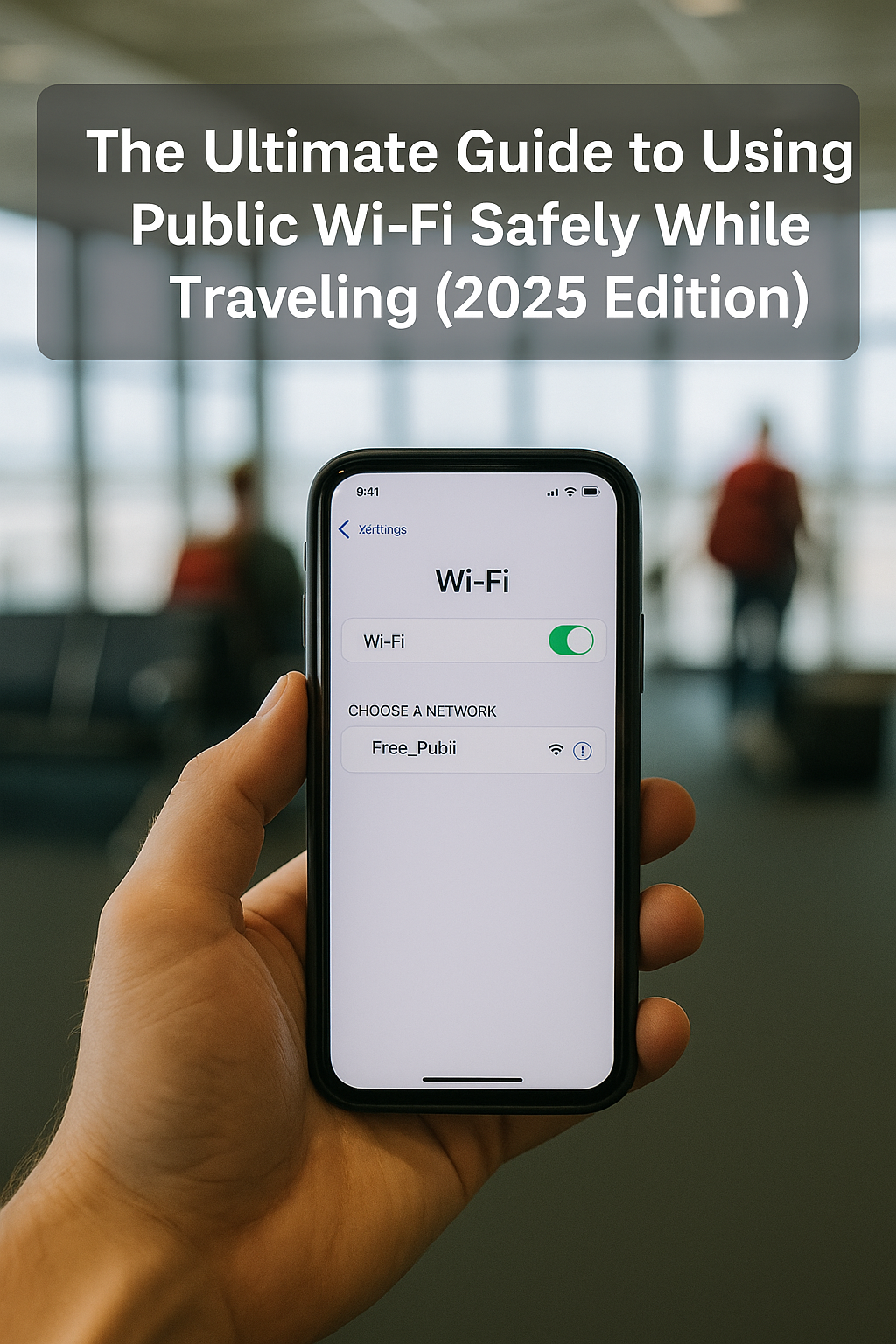
The Ultimate Guide to Using Public Wi-Fi Safely While Traveling (2025 Edition)

A digital photograph features a clear rectangular overlay with the title "The Ultimate Guide to Using Public Wi-Fi Safely While Traveling (2025 Edition)" above a hand holding a smartphone showing a connected Wi-Fi network labeled "Free_Publi" in an airport setting.

Introduction:

Public Wi-Fi is a blessing and a curse.
Whether you’re waiting in an airport lounge, checking in at a hotel, or sipping coffee at a local café, free internet is always a temptation. But in 2025, cyber threats are more advanced than ever — and travelers are prime targets.

From data theft to man-in-the-middle attacks, unsecured public networks are risk zones.
This guide gives you clear, updated, and practical strategies to use public Wi-Fi while traveling — without compromising your personal data or digital identity.

1. Understand the Risks of Public Wi-Fi

Before connecting, it’s essential to know what you’re dealing with.

Common Threats in 2025:

  • Evil Twin Networks: Fake hotspots imitating real ones
  • Man-in-the-Middle (MITM) Attacks: Hackers intercepting your data
  • Packet Sniffing: Monitoring unencrypted traffic
  • Session Hijacking: Stealing your login credentials
  • Malware Injection: Drive-by attacks from compromised networks

2. Never Use Public Wi-Fi Without a VPN

A VPN (Virtual Private Network) encrypts your internet connection, hiding your data from hackers and third parties.

Best VPNs for Travelers (2025):

  • ExpressVPN – Fast, reliable, with global servers
  • ProtonVPN – Strong privacy policies and free tier
  • Surfshark – Affordable, unlimited devices
  • NordVPN – Extra security tools (Threat Protection, Meshnet)

Tip: Set your VPN to launch automatically when you connect to a new network.


3. Always Verify the Network Name

Ask staff to confirm the exact name of the Wi-Fi network before you connect.
Scammers often set up lookalike names like “FreeAirportWiFi” instead of the official “Airport_WiFi_Secure”.


4. Turn Off Auto-Connect

Your device may automatically join known open networks — even malicious ones with the same name.

To disable this:

  • On iOS/Android: Go to Wi-Fi settings > Disable “Auto-Join”
  • On Windows/macOS: Forget networks or disable automatic reconnection

5. Use HTTPS-Only Sites

Even without a VPN, always stick to HTTPS-encrypted websites.
Modern browsers show a padlock icon in the address bar.

Browser Add-On:
Install HTTPS Everywhere or enable Secure DNS settings for added protection.


6. Keep Your Device Updated

Hackers often exploit outdated systems.
Make sure your OS, browser, and antivirus software are always current.

Enable:

  • Automatic updates
  • Security patches
  • Real-time threat detection (e.g., Windows Defender, Malwarebytes)

7. Use Two-Factor Authentication (2FA)

Even if someone gets your login credentials, 2FA adds an extra layer of security.

Recommended Tools:

  • Google Authenticator
  • Authy
  • Microsoft Authenticator
  • Hardware keys like YubiKey (for ultra-secure access)

8. Don’t Access Sensitive Accounts

Avoid logging into banking sites, work email, or cloud storage when using public Wi-Fi.

Use your mobile data for such tasks, or wait until you’re on a secure network.


9. Use a Personal Hotspot When Possible

Your phone can be your best defense.
Tethering via LTE or 5G is often faster and more secure than public Wi-Fi.

Recommended Setup:

  • Enable password protection
  • Monitor connected devices
  • Set a data limit to avoid overcharges

10. Log Out & Forget the Network After Use

When you’re done:

  • Log out of all accounts
  • “Forget” the public Wi-Fi network
  • Restart your device for a clean session reset

Bonus: Travel Routers with Built-in Security

If you frequently rely on hotel or public Wi-Fi, consider bringing a travel router with firewall and VPN support.

Top Picks (2025):

  • GL.iNet Slate AX – Compact router with VPN & DNS protection
  • TP-Link AC750 – Budget option with WPA3 encryption
  • Netgear Nighthawk M6 – High-end mobile hotspot with robust security

Final Tips:

  • Rename your device to something generic (not “John’s iPhone”)
  • Use a local SIM with data plan if staying long-term
  • Install anti-theft tracking apps in case of device loss
  • Avoid clicking pop-ups or “Install Software” prompts on public networks
  • Turn off Bluetooth and file-sharing when not needed

Final Thoughts:

Public Wi-Fi is a modern travel essential — but using it without precautions is like leaving your passport on a park bench.
In 2025, digital safety is just as important as physical safety.
By following these simple, smart strategies, you can stay connected and protected wherever you roam.

Be wireless. Be fearless — but never careless.

How to Travel Carry-On Only: Minimalist Packing for Smart Travelers

A photograph with overlaid text titled "How to Travel Carry-On Only: Minimalist Packing for Smart Travelers," showing a folded T-shirt, a carry-on suitcase, smartphone, and minimalist accessories on a wooden background.

Introduction:

More travelers in 2025 are ditching checked baggage in favor of carry-on only travel — and for good reason.
Avoiding checked bags means faster airport exits, no lost luggage, lower airline fees, and greater mobility.
But how do you fit everything you need for a week (or more) into a single carry-on?
This guide teaches you how to pack like a minimalist without sacrificing comfort, style, or functionality.

Why Travel Carry-On Only?

  • No baggage claim waits
  • No lost luggage nightmares
  • Avoid airline baggage fees
  • Faster security clearance
  • Easier mobility across cities, trains, and hostels
  • More flexibility for last-minute plans

Whether you’re heading to Seoul for a business trip or backpacking through Europe, traveling light pays off.


Step 1: Choose the Right Carry-On Bag

Your bag is your foundation. It must meet international size regulations and offer smart compartments.

Recommended Features:

  • Max size: 22” x 14” x 9” (international standard)
  • Lightweight (under 7 lbs)
  • Expandable but still cabin-compliant
  • Separate laptop sleeve
  • Hidden RFID pocket

Top Picks:

  • Away Carry-On Flex
  • Samsonite Pro Carry-On
  • Nomatic Navigator 30L (expandable to 38L)

Step 2: Build a Smart Packing List

Use the 1-2-3-4-5 Rule as a starting point:

  • 1 jacket or layer
  • 2 pairs of shoes (1 worn, 1 packed)
  • 3 pairs of pants or skirts
  • 4 tops (mix of casual and dress)
  • 5 sets of underwear and socks

Adjust for weather and purpose, but this minimalist formula works for most trips under 10 days.


Step 3: Embrace Packing Cubes & Compression Bags

These tools dramatically improve space efficiency and organization.

Recommended Gear:

  • Compression packing cubes (e.g., Peak Design, Gonex)
  • Rollable vacuum compression bags
  • Clear pouches for electronics, cords, and toiletries

Tip: Use color-coded cubes to separate categories (e.g., clothing, tech, hygiene).


Step 4: Choose Multi-Use Clothing

Minimalist travel doesn’t mean boring clothes — it means versatile choices.

Ideal Fabrics & Items:

  • Merino wool shirts – odor-resistant, fast-drying
  • Convertible pants/shorts
  • Reversible jackets
  • Neutral colors that mix and match easily
  • Scarf or sarong – use as blanket, cover-up, or beach towel

Step 5: Go Digital and Paperless

Documents take up space and are easy to lose.
Replace paper with cloud access and apps.

What to digitize:

  • Boarding passes (use airline app)
  • Hotel confirmations (Google Drive or TripIt)
  • Itinerary & tickets
  • Passport backup photo
  • Emergency contacts list

Always keep an offline copy of essentials on your phone.


Step 6: Smart Toiletries Strategy

Carry-on liquids are limited to 100ml (3.4 oz) in a 1-quart bag.
Stick to solids and multi-use items.

Suggested Swaps:

  • Bar shampoo/conditioner
  • Tooth powder or tablets
  • Travel-sized sunscreen stick
  • Compact razor or electric shaver
  • Multi-use balm (lips, skin, etc.)

Recommended Brands:

  • Lush, Ethique, Dr. Bronner’s, Humangear GoToobs

Step 7: Master the Art of Layering

Weather changes — your wardrobe should adapt.
Instead of bulky items, layer light pieces.

Example:
Tank top + long-sleeve + ultralight down vest = warmth without weight

Wear your heaviest clothing on the plane (boots, jacket)


Step 8: Limit Electronics

Don’t overpack tech gear. Stick to essentials:

Suggested Kit:

  • Smartphone
  • Laptop or tablet
  • Travel adapter
  • 1 power bank
  • Bluetooth headphones
  • Charging cable + universal plug

Step 9: Wash on the Go

Traveling longer than 7 days? You don’t need more clothes — just clean them.

Quick laundry options:

  • Hotel sink + travel detergent
  • Portable wash bag (Scrubba)
  • Laundry sheet packets (eco-friendly)
  • Airbnb with washer/dryer

Pack a quick-dry towel and hang-dry clips.


Step 10: Pre-Flight Weight Check

Before heading to the airport, weigh your bag.
Many airlines have strict carry-on weight limits (7–10 kg).
Use a digital luggage scale or bathroom scale.


Final Tips:

  • Wear bulkier items when flying
  • Use tote bags or sling packs as your “personal item”
  • Keep liquids and electronics easy to access for TSA
  • Review the airline’s carry-on policy in advance
  • Practice packing at home before your trip

Final Thoughts:

Traveling with only a carry-on isn’t just possible — it’s empowering.
You’ll move faster, pay less, and travel smarter.
Once you experience the freedom of minimalist packing,
you may never check a bag again.

Lighten your load. Maximize your journey.

Top 10 Travel Scams to Avoid in 2025 (and How to Outsmart Them)

A photograph with overlaid text showcases a U.S. passport, a boarding pass, foreign currency notes, and a smartphone placed on a wooden table, symbolizing common travel scam risks.

Introduction:

The world is more connected than ever in 2025, and global travel has become more accessible to millions. But as international tourism rises, so does the sophistication of travel scams.
Scammers are no longer targeting only the naive. They’re targeting everyone — especially smart, tech-savvy travelers.
In this guide, we break down the top 10 most common travel scams around the world, with updated tactics for 2025, and give you smart, realistic ways to avoid getting caught off guard.

1. Fake QR Code Scams

How it works:
Scammers place stickers with fake QR codes over real ones at restaurants, train stations, or payment terminals. When scanned, they lead you to a phishing site or malicious payment portal.

How to avoid it:

  • Never scan random QR codes in public.
  • Use NFC or verified apps.
  • Double-check that the QR sticker isn’t peeling off or layered over another.

2. The “Free Wi-Fi” Trap

How it works:
You connect to an open network at a café, airport, or hotel. But it’s actually a rogue hotspot capturing your login data.

How to avoid it:

  • Never access banking or sensitive sites on public Wi-Fi.
  • Always use a VPN.
  • Carry your own hotspot or use mobile data.

3. Currency Exchange Manipulation

How it works:
Some currency exchange kiosks display misleading rates or charge hidden commissions. Others may swap out counterfeit notes.

How to avoid it:

  • Use reputable banks or ATMs.
  • Use digital wallets like Wise or Revolut.
  • Count your money before leaving the counter.

4. The “Closed Hotel” Scam

How it works:
A taxi driver tells you your hotel is “closed” or “fully booked” and takes you to another hotel where they get commission.

How to avoid it:

  • Confirm your hotel’s status directly by calling.
  • Don’t rely solely on drivers for local info.
  • Pre-book with clear confirmations and GPS directions.

5. Fake Police Officers

How it works:
People dressed as police ask for your ID or wallet to “check for fake currency” or illegal items — and take your money or info.

How to avoid it:

  • Ask to see official ID and badge numbers.
  • Don’t hand over documents; show them through a transparent holder.
  • Walk to the nearest police station if unsure.

6. Card Skimming Devices on ATMs

How it works:
Fraudsters install skimming devices or hidden cameras at ATMs to steal card data.

How to avoid it:

  • Use indoor ATMs at banks or hotels.
  • Cover the keypad when entering your PIN.
  • Check the card slot for loose or bulky attachments.

7. Street Petition Scam

How it works:
You’re asked to sign a petition for a charity or cause. While distracted, your bag or wallet is stolen.

How to avoid it:

  • Avoid engaging with aggressive street solicitors.
  • Secure your belongings in front of your body.
  • Keep walking if it feels off.

8. Fake Ride-Sharing Apps or Drivers

How it works:
Scammers use unofficial ride apps or pose as rideshare drivers. They charge inflated prices or divert you.

How to avoid it:

  • Always book through official apps.
  • Check driver name, license plate, and photo.
  • Never get into a car without confirming booking details.

9. Restaurant Menu Switch

How it works:
You’re shown a cheap menu at the entrance, but after ordering, you’re given a different, higher-priced menu or charged extras.

How to avoid it:

  • Take a photo of the menu when ordering.
  • Confirm prices before ordering.
  • Ask for a printed bill and double-check it.

10. The “Friendship” Scam

How it works:
A local offers to show you around or have drinks. Later, they leave you with a massive bill or disappear.

How to avoid it:

  • Be cautious of overly friendly strangers.
  • Avoid going to unknown bars or clubs with people you just met.
  • Stick to public spaces and trust your instincts.

Bonus Tips to Outsmart Scammers in 2025:

  • Use travel insurance that covers fraud or theft.
  • Keep backup cards in a separate location.
  • Enable location tracking on your devices.
  • Avoid over-sharing your location on social media.
  • Learn a few local language phrases to avoid looking completely lost.
  • Use real-time review apps like Google Maps and TripAdvisor to validate businesses or service providers.

Final Thoughts:

Traveling in 2025 can be incredibly rewarding — but only if you stay smart and alert.
Scammers are constantly evolving, but so can you.
With the right awareness and tools, you can enjoy the world without falling for common traps.
Remember, the best travelers are not just adventurous — they’re prepared.

Stay curious, not careless.

Essential Tech Gear for Digital Nomads in 2025

A photograph showcases modern tech gear essentials for digital nomads, including a laptop, noise-canceling headphones, portable power bank, and universal travel adapter neatly arranged on a wooden desk.

The digital nomad lifestyle is no longer a fringe trend — it’s a global movement. In 2025, millions of remote professionals are working while traveling, from Bali beach cafés to Lisbon coworking hubs. But thriving on the road requires more than just a laptop and Wi-Fi.
You need smart, lightweight, and reliable tech gear to stay productive, connected, and secure.
In this guide, we’ll break down the essential tech tools every digital nomad should pack in 2025 — from portable workstations to privacy-first gadgets.

1. Laptop: Ultra-Lightweight with Power

A digital nomad’s laptop is their livelihood.
In 2025, you want a machine that’s thin, light, long-lasting, and powerful enough to handle video calls, editing software, and multitasking.

Top Picks:

  • Apple MacBook Air M3 (2025): Lightweight, long battery life, ideal for creatives.
  • Dell XPS 13 Plus: Premium design with excellent performance.
  • Framework Laptop 16: Modular design for easy upgrades — perfect for minimalists.

Pro Tip: Choose a model with a matte display to reduce glare in outdoor settings.


2. Noise-Canceling Headphones: Your Mobile Office

Coworking spaces, airports, cafés — they’re noisy.
Active Noise Cancellation (ANC) is no longer optional.

Best Options:

  • Sony WH-1000XM6
  • Bose QuietComfort Ultra
  • Apple AirPods Max (for Apple users)

Key Features to Look For:

  • ANC + ambient sound control
  • Long battery life (30+ hours)
  • Compact folding design

3. Universal Travel Adapter with USB-C PD

Forget carrying five chargers. A universal adapter with built-in USB-C Power Delivery can charge your laptop, phone, and tablet at once.

Features to Look For:

  • Multi-region support (US, EU, UK, AU)
  • At least 2 USB-C PD ports
  • Surge protection and grounding

Recommended: EPICKA Universal Travel Adapter 2025 Edition


4. Portable Power Bank with Laptop Support

Running out of power on a travel day is a productivity killer.

Ideal Specs:

  • Minimum 20,000 mAh
  • USB-C PD with 65W output
  • Pass-through charging

Top Model:

  • Anker PowerCore III Elite 26K – Charges MacBook + phone simultaneously.

5. Mobile Wi-Fi Hotspot or eSIM Router

Hotel Wi-Fi is often unreliable.
A personal hotspot ensures you always have backup internet.

2025 Solutions:

  • Solís Global Hotspot – Pay-as-you-go plans, 130+ country coverage
  • GlocalMe G4 Pro – Touchscreen + no SIM needed
  • Airalo or Nomad eSIM – For unlocked phones with global data packages

Pro Tip: Always download offline Google Maps and translate tools before relying on new networks.


6. Privacy Gear: Webcam Cover + VPN

Working remotely means protecting your data.

Must-Have Tools:

  • Webcam cover: Simple, cheap, and essential
  • Password manager: 1Password or Bitwarden
  • VPN: ExpressVPN, Surfshark, or Proton VPN
  • Encrypted USB-C drive: Keep client data safe on the go

7. Ergonomic Keyboard & Mouse (Compact)

If you’re working long hours, don’t rely on your laptop keyboard.
Invest in a compact Bluetooth keyboard and mouse combo.

2025 Picks:

  • Logitech MX Keys Mini + MX Anywhere 3S
  • Keychron K3 Pro (Mechanical)
  • Microsoft Designer Compact Keyboard

8. Portable Monitor: Dual-Screen Anywhere

Increase productivity by 30% with a second screen.
Perfect for video editors, coders, and multitaskers.

Features to Consider:

  • 13–15″ size
  • USB-C powered
  • Foldable or case-integrated stand

Popular Options:

  • ASUS ZenScreen Go
  • Nexigo Touchscreen Portable Monitor
  • SideTrak Swivel Pro

9. Cloud Storage + Backup Strategy

Accidents happen — theft, water damage, failed SSDs.
Your data should live in the cloud, not just your laptop.

Reliable Cloud Services:

  • Google Drive (Workspace)
  • Dropbox Pro
  • iCloud for Apple ecosystem
  • Backblaze – Best for automatic backups

10. Anti-Theft & Tech-Safe Backpack

You carry thousands of dollars worth of gear — protect it.

Must-Have Features:

  • Lockable zippers
  • Hidden compartments
  • RFID-blocking pockets
  • Water-resistant materials
  • Padded laptop sleeves

Top Picks:

  • Nomatic Navigator Backpack
  • Timbuk2 Authority Laptop Backpack Deluxe
  • Bellroy Transit Workpack

Bonus Tips for Digital Nomads:

  • Use a portable laptop stand to avoid neck strain
  • Enable two-factor authentication (2FA) on all work apps
  • Turn on Find My Device tracking
  • Join coworking memberships like WeWork or Croissant to get stable desks and Wi-Fi anywhere

Final Thoughts:

Being a digital nomad in 2025 means mastering mobility without compromising productivity or security.
By investing in the right tech gear, you can work from anywhere — and thrive doing it.
Whether you’re freelancing from a van in Canada or managing a startup in Thailand,
this essential toolkit will keep you ready, resilient, and always one step ahead.

Pack light, power up, and go global.

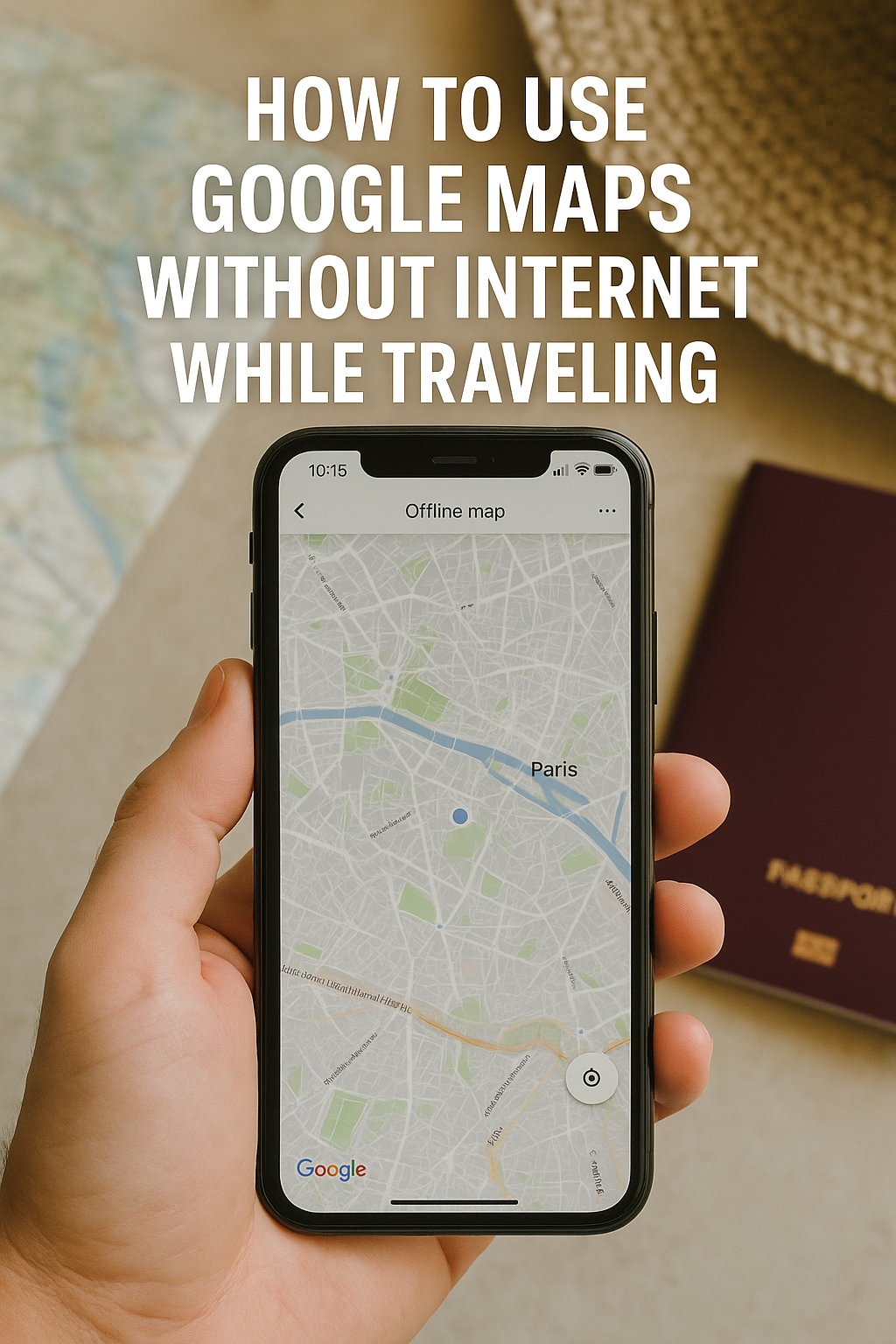
How to Use Google Maps Without Internet While Traveling

A realistic photo of a hand holding an iPhone showing an offline Google Map of Paris, with a paper map and a passport nearby, symbolizing travel without internet.

Introduction:

Traveling without internet might sound impossible in 2025 — but it’s more common than you think. Whether you’re landing in a new country without a local SIM, hiking in a remote area, or trying to avoid costly roaming fees, being able to use navigation tools without an internet connection is essential. Fortunately, Google Maps offers powerful offline features that every traveler should know. In this guide, you’ll learn how to set up and use Google Maps offline, avoid common mistakes, and unlock pro-level tips that will help you travel smarter, safer, and stress-free.


Why You Need Google Maps Offline in 2025

Even with 5G and eSIMs becoming more available, travelers still face connectivity gaps due to:

  • Airport or in-flight mode immediately after arrival
  • Remote areas with no cell signal
  • Expensive roaming data fees
  • Delays in purchasing or activating local SIM cards
  • Battery-saving mode limiting background data usage

Using Google Maps offline solves these problems and ensures that you can navigate confidently anytime, anywhere.


Step-by-Step: How to Download Google Maps for Offline Use

1. Open the Google Maps App

Make sure you’re signed in to your Google account.

2. Search for Your Destination

Search for a city, town, or region. For example: “Barcelona, Spain”.

3. Tap on the Location Name

Once the map loads, tap on the name at the bottom of the screen to expand the location info.

4. Tap “Download”

You’ll see a “Download” button. Tap it and select the area to download. You can zoom in or out to adjust the region.

5. Wait for the Download

The map will begin downloading. Make sure you’re on Wi-Fi to save mobile data.


What You Can Do Offline with Google Maps

Once your map is downloaded, you can:

  • Search for locations (hotels, restaurants, landmarks)
  • Get turn-by-turn driving directions
  • Use GPS to track your location
  • Bookmark places like your hotel or attractions
  • View opening hours and phone numbers (if cached beforehand)

Note: Real-time traffic updates, walking directions, public transport data, and user reviews may be unavailable offline.


Pro Tips: Maximize Your Offline Map Experience

Download Before You Leave

Don’t wait until you’re already offline! Download maps while still connected to strong Wi-Fi at home or your hotel.

Use Airplane Mode + Wi-Fi

When you arrive in a new country, use airplane mode with Wi-Fi enabled. You can still use Google Maps offline without risking roaming charges.

Label Key Locations

Before going offline, star or label important places such as your hotel, embassy, airport, train station, and favorite cafes.

Set up “Your Places”

Create custom lists in “Your Places” on Google Maps to organize your trip itinerary.

Update Maps Regularly

Offline maps expire after about 1 year. Google will send you reminders to update them — don’t ignore these!


Real-World Scenarios

Airport Arrival Without Data

You land in Istanbul with no local SIM. Thanks to your offline map, you locate the airport shuttle stop and track your hotel location by GPS.

Remote Mountain Hiking

In the Swiss Alps, there’s no cell service — but your offline map shows the trail, nearby shelters, and even estimated hiking times.

Nighttime in a New City

You’re walking back to your Airbnb in Seoul after dinner. The offline map shows your route without needing data or draining your battery with constant network search.


Advantages Over Other Navigation Apps

While apps like Apple Maps and HERE WeGo also offer offline options, Google Maps has the largest global database, better accuracy, and more detailed place information. It also integrates with Google Travel, Calendar, and Gmail, making it a powerful ecosystem tool for frequent travelers.


Safety Tip: Combine Google Maps with Other Tools

  • Use Google Translate offline for reading signs or asking for directions
  • Download city guides from Google Travel or Google Docs
  • Carry a power bank so your GPS doesn’t die halfway through your trip
  • Take a screenshot of key addresses just in case

Best Travel Types for Offline Google Maps

Traveler TypeBenefit of Offline Maps
BackpackersAvoid roaming fees and unreliable hostel Wi-Fi
Digital NomadsNavigate in coworking cities without draining mobile data
Business TravelersAlways know your meeting locations, even in transit
Solo Female TravelersSafely navigate unfamiliar areas even late at night
Family TravelersKeep kids occupied while still accessing directions offline

Final Thoughts:

Using Google Maps offline isn’t just a backup plan — it’s a smart travel strategy. It keeps you independent, helps avoid costly mistakes, and ensures you’re never truly lost. In 2025, this feature is more powerful than ever, and mastering it is essential for any serious traveler.

Don’t rely on the internet. Travel smarter. Download your maps, and take the world with you — even when you’re offline.

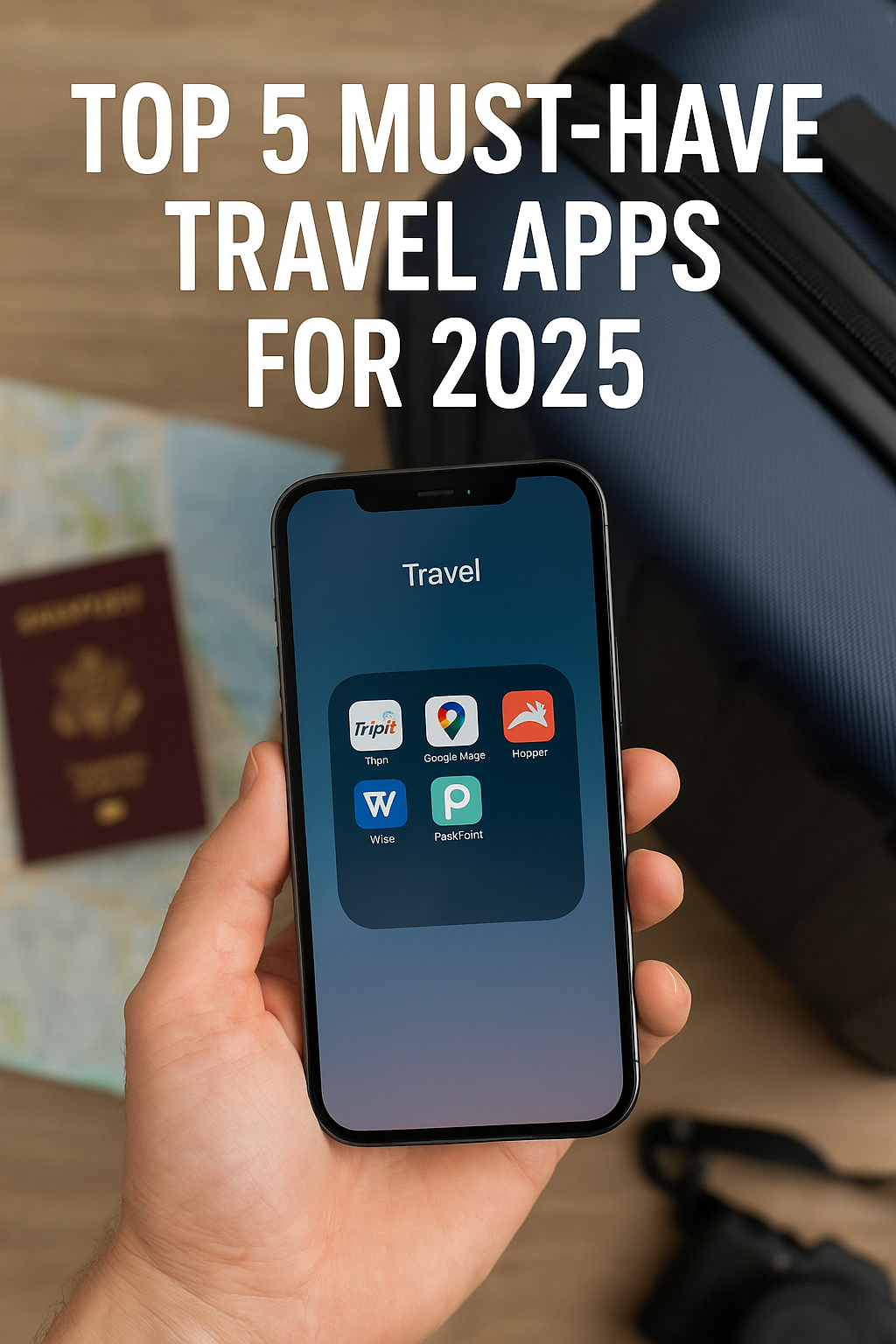
Top 5 Must-Have Travel Apps for 2025

Introduction:

Traveling in 2025 is more than just booking flights and hotels — it’s a fully digital experience. With a smartphone in hand, you can now manage your itinerary, convert currencies, find hidden local gems, avoid travel scams, and even save hundreds of dollars. But to get the most out of your travels, you need the right tools. In this article, we’ll introduce five of the most essential mobile apps every traveler should have installed in 2025. These are not just helpful — they’re game-changers.

1. TripIt: The Ultimate Itinerary Organizer

What it does:
TripIt scans your email inbox for confirmation emails from airlines, hotels, car rentals, and activities, then compiles them into a clean, single itinerary. You’ll never have to search through your inbox again.

Why it matters in 2025:
With increased flight delays, cancellations, and last-minute changes in travel regulations, having a centralized travel plan is more important than ever. TripIt helps travelers stay organized and adapt quickly.

Pro Tips:

  • Use the TripIt Pro version for real-time flight alerts, gate change notifications, and seat tracker tools.
  • Sync it with your calendar so your day-to-day itinerary is visible without opening the app.
  • Share your plans with travel companions with one click.

Real Example:
A digital nomad flying from Berlin to Bali with multiple layovers can avoid missing flights by getting instant alerts and airport navigation through TripIt.


2. Google Maps: Your Offline Travel Companion

What it does:
Google Maps isn’t just about directions anymore. It’s your complete travel companion — helping you discover restaurants, reviews, local businesses, landmarks, and transit systems.

2025 Upgrades:

  • Indoor AR navigation in large airports and malls
  • Crowd density data to help you avoid crowded spots
  • Real-time eco-friendly route suggestions to reduce emissions

Offline Power:
Before your trip, download an entire city or country map. Once downloaded, you can search, navigate, and even use turn-by-turn directions — all without internet.

Travel Scenario:
A traveler in Tokyo without a SIM card can still get to their hotel from the airport using only Google Maps’ offline mode.


3. Wise (Formerly TransferWise): Multi-Currency Wallet and Card

What it does:
Wise lets you hold, convert, and spend money in over 50 currencies. It gives you local bank account details in multiple countries and provides an international debit card you can use anywhere.

Why it’s a must:
Foreign transaction fees and bad exchange rates can cost travelers hundreds. Wise eliminates those hidden costs and helps you manage global finances transparently.

Notable Features:

  • Real-time exchange rates
  • Virtual card support for online purchases
  • Works with Apple Pay and Google Pay
  • Low-cost global transfers

For Digital Nomads:
Receive payments from clients in USD or EUR, convert to your home currency with minimal fees, and spend locally wherever you are — all in one app.


4. Hopper: Price Predictor for Flights and Hotels

What it does:
Hopper predicts the best time to buy flights and hotels using AI and big data. It tells you when to wait and when to book to save the most money.

New in 2025:

  • Carbon emissions filters
  • Integration with train and long-distance bus networks
  • Hotel cancellation risk analysis
  • Travel insurance add-ons within the app

Best Use Cases:

  • Backpackers planning a multi-city trip in Europe
  • Families looking for affordable hotel deals with flexible cancellation
  • Frequent flyers timing their bookings for business travel

Pro Tip:
Set up multiple “watchlists” for your favorite destinations and receive instant push alerts when prices drop.


5. PackPoint: The Smart Packing Assistant

What it does:
PackPoint generates a customized packing list based on the length of your trip, destination weather, planned activities, and even laundry availability.

2025 Features:

  • Health alerts based on destination (e.g., COVID, malaria zones)
  • AI-powered clothing suggestions based on cultural norms
  • Luggage weight estimation to avoid airline baggage fees

Travel Hack:
Avoid overpacking by only including items needed for that specific weather and activities. You can share your list with travel buddies or export to a printable version.

Example Scenario:
For a 10-day trip to Thailand in the rainy season, PackPoint reminds you to pack a waterproof bag, insect repellent, and flip-flops — things you might forget otherwise.


Bonus Tip: Why These Apps Outperform the Rest

Many travel apps come and go, but the five listed here are constantly evolving with technology, user feedback, and global trends. Unlike one-off tools or gimmick apps, these five are built for longevity and real-world practicality. In addition:

  • They’re all available on both iOS and Android
  • They offer either free versions or low-cost upgrades
  • They are tested and trusted by millions of global travelers

Final Thoughts:

No matter where you’re going in 2025, traveling without the right apps is like trying to explore a city without a map. These five apps — TripIt, Google Maps, Wise, Hopper, and PackPoint — form the ultimate digital travel toolkit. They save time, reduce costs, minimize stress, and unlock experiences you might otherwise miss. Install them before your next trip, and you’ll feel like you brought a personal travel assistant in your pocket.

Zero-Fee Foreign Transactions: What You Need to Know in 2025

Credit card with globe and digital icons representing global transactions

For global travelers, expats, and digital nomads, foreign transaction fees can quietly drain your finances. In 2025, zero-fee payments abroad are not a luxury—they’re a necessity. But how do you actually achieve that?

Here’s what you must know if you want truly zero-fee international spending:

1. The Hidden Architecture of Foreign Fees

Most people are shocked to learn that a single international transaction can include up to three layers of fees:

  1. Bank Fee – Charged by your issuing bank, often 1–3%
  2. Card Network Markup – Visa, Mastercard, or Amex typically add 0.2–1.0%
  3. DCC Fee (Dynamic Currency Conversion) – Up to 6–8% if you select your home currency at foreign terminals

A payment that looks fee-free may actually cost you 8–12% more in the background.


2. Zero-Fee Doesn’t Mean What You Think

Many “zero-fee” cards only remove the bank’s fee, leaving the other two layers untouched. That means you might still be paying hidden conversion markups, especially if you’re unaware of how the terminal processes your currency.

True zero-fee means:

  • No issuing bank fee
  • No network markup or mid-market rate used
  • DCC rejected at every point of sale

3. The Multi-Currency Wallet Revolution

Fintech is rewriting the rules of international payments. Services like Wise, Revolut, N26, and Charles Schwab now allow users to:

  • Hold multiple currencies in one wallet
  • Convert funds at real-time mid-market rates
  • Spend globally with physical or virtual cards
  • Avoid ATM withdrawal fees (Schwab refunds all fees globally)

Example: A U.S. digital nomad in Spain using a Wise card paid only $0.50 on a $1,000 hotel booking due to mid-market conversion + no bank fee. A traditional bank would have charged $30+.


4. How to Completely Avoid DCC Traps

DCC is a common scam that sounds helpful. At checkout or ATMs, you’ll be asked:

“Would you like to pay in USD?”

It feels familiar—but saying “Yes” triggers a foreign bank’s exchange rate, which is often 5–8% worse than real-time FX. Always choose “Local Currency” (e.g., EUR, KRW, JPY).

Tip:
Add a sticker to your physical card:

“ALWAYS DECLINE DCC – Choose Local Currency”

This small step can save you hundreds annually.


5. Know Your Card’s Fine Print in 2025

Even in 2025, many banks still charge hidden fees. Here’s what to check before any international use:

Card FeatureIdeal ValueWhy It Matters
Foreign Transaction Fee0%Anything above 0.5% eats your margin
ATM Withdrawal Fee$0 + Global RefundTravel often? This is key
FX Rate TypeMid-Market RateAvoid “retail” bank rates
DCC PolicyUser OverrideMust let you choose local currency
Monthly Maintenance$0No account-keeping charges

Action:
Before traveling, call your bank and ask:

“Does this card charge foreign transaction fees? What FX rate does it use? Is there a DCC override?”


6. Use Fintech + Strategy Together

Tools alone don’t save you money. You need the right behavior + tools:

Right Tools

  • Wise: Best for multi-currency use and sending money
  • Revolut: For travelers who want analytics + instant budgeting
  • Charles Schwab: ATM fee reimbursement globally
  • Capital One Venture: Great travel perks + no FX fee

Right Behavior

  • Always decline DCC
  • Check currency before confirming payment
  • Avoid using debit cards with poor overseas support

7. Real-World Case Study: Two Travelers, Two Outcomes

Traveler A:

  • Uses Chase Visa
  • Accepts DCC in London
  • Pays in USD
    → Hotel charges 7.5% higher rate
    → Additional 3% FX fee from bank
    → Total overpayment: $105 on $1,000

Traveler B:

  • Uses Wise multi-currency card
  • Pays in GBP
    → No bank fee, real-time rate
    → Total fee: $0.75

Conclusion: Knowing what to reject is as important as what to use.


8. Building a 100% Fee-Free Setup (Starter Checklist)

Open a Wise or Revolut account
Order a multi-currency debit card
Activate virtual cards for online purchases
Link to your travel wallet (Apple Pay, Google Pay)
Avoid cards with ATM restrictions
Use local currency only
Research each country’s DCC practices (Japan, South Korea = very common)


9. Bonus: The Countries with the Worst DCC Rates

Some nations have notoriously aggressive DCC schemes. Be extra alert here:

CountryAvg DCC FeeRisk Level
Thailand7.5% Very High
UK6.2% High
Japan5.9% High
Spain5.5% Medium
South Korea4.8% Medium

Source: DCCGlobalIndex.com, 2025 Annual Report


Final Thoughts

Fee-free international payments are no longer reserved for financial nerds or crypto maximalists. With the right planning and habits, any traveler, expat, or global citizen can save hundreds each year. In 2025, it’s about awareness, preparation, and smart execution.

Don’t let outdated banks or sneaky merchants rob you of your money.
Take control of your global payments.

Want to see how real travelers stretch every dollar while living abroad?
Check out how Koreans thrive on tight budgets overseas — with practical lessons in survival budgeting and smart spending.