How to Use Korean Payment Apps like KakaoPay & NaverPay

Foreign tourist using KakaoPay on a smartphone in Seoul

A Global Guide for 2025 – Smart, Safe, and Fast

1. Introduction – Why Korean Payment Apps Are Gaining Global Attention

Korea is leading the way in digital payment innovation. In 2025, most Koreans rarely carry physical cash. Instead, they use apps like KakaoPay and NaverPay for almost everything—buying coffee, paying rent, splitting bills, and even investing.

But here’s what’s even more exciting:
Foreigners living in or visiting Korea can also use these apps—and many countries are now adopting similar systems.

This guide will show:

  • How KakaoPay and NaverPay actually work
  • How foreigners can use them in Korea
  • Global alternatives in your country
  • What you can learn from Korea’s fintech culture

2. What Are KakaoPay and NaverPay?

These two apps are Korea’s biggest mobile payment platforms, embedded in daily life:

KakaoPay

  • Built into KakaoTalk, Korea’s No.1 messaging app
  • Used for online/offline payments, QR codes, bills, and even peer-to-peer transfers
  • Offers digital ID, insurance, investment features

NaverPay

  • Linked to Naver, Korea’s No.1 search engine and shopping platform
  • Works seamlessly with online stores, especially for e-commerce
  • Offers loyalty points, coupons, one-tap payment for services

These apps are not just for payment—they’re all-in-one tools that combine financial services, communication, and convenience.


3. Can Foreigners Use Them in Korea?

Yes! If you are:

  • A tourist: You can use limited functions with a Korean SIM and virtual card
  • A resident with ARC (Alien Registration Card): You can fully register and verify your identity
  • A student or worker: You can link your Korean bank account and even set up automatic payments

All you need:

  • A Korean phone number
  • A valid ID (passport + ARC for full features)
  • A local bank account (e.g., KEB Hana, Shinhan, Woori)

Pro Tip: If you don’t have a Korean bank account, you can still use KakaoPay gift cards and prepaid QR codes at convenience stores.


4. How Do Payments Work?

Once registered, you can:

  • Tap & Pay at cafes, restaurants, or stores via QR codes
  • Send money to friends with just a phone number
  • Scan bills (like utility fees) and pay in 3 seconds
  • Book train/bus tickets, movie tickets, and even pay taxes

You’ll also receive instant digital receipts, cashback offers, and loyalty points.


5. How Secure Are They?

Extremely secure. Here’s why:

  • Biometric login (fingerprint or face scan)
  • 2FA (Two-Factor Authentication) for large payments
  • Real-time transaction alerts
  • Korea’s strict financial regulations

You can also set daily spending limits and lock payments when traveling.


6. What If You’re Not in Korea? Global Equivalents

If you’re not in Korea, here are top global payment apps with similar functions:

CountryAppNotes
USAVenmo / Cash App / Apple PayPeer-to-peer + in-store payments
EuropeRevolut / Wise / Apple PayGreat for currency exchange + NFC use
Southeast AsiaGrabPay / ShopeePayAll-in-one lifestyle + travel
JapanPayPay / LINE PayStrongly integrated with local services
GlobalWise / PayPalBest for international users

Inspired Tip: Use these apps like Koreans do—automate payments, set savings goals, and check cashback benefits weekly.


7. What You Can Learn from Korea’s Smart Payment Culture

Koreans don’t just use payment apps—they live with them. Here’s what you can take away:

  • Micro-payment culture: You don’t need a credit card. Apps allow spending small amounts easily.
  • QR-first mindset: Physical cards are disappearing. QR and barcodes dominate.
  • App + Lifestyle: Financial tools are part of daily life—not just for shopping.
  • One app, many tools: From tax refunds to investment, a single app handles it all.

8. Final Advice for Tourists, Expats, and Global Users

For Tourists:

  • Download KakaoTalk and Naver before arrival
  • Use convenience store kiosks to top up your app
  • Get SIM cards that allow app verification

For Expats:

  • Set up a Korean bank account
  • Apply for full verification (using ARC)
  • Use apps for rent, bills, shopping, and transfers

For Global Users:

  • Compare your country’s apps with KakaoPay/NaverPay
  • Think long-term: digital payments = money saved
  • Consider using Korean-style fintech apps in your own country

9. Conclusion – Don’t Just Pay, Pay Smart

KakaoPay and NaverPay represent the future of money—fast, mobile, and integrated into life. Whether you’re in Korea or abroad, there’s so much to learn and apply.

Digital money is not just about convenience.
It’s about freedom, control, and smarter spending.

📌 Coming Up Next:
How to Stay Online in Korea – SIM Cards, eSIM, and Wi-Fi for Travelers
Confused about eSIMs, data plans, or which Korean SIM card to choose? In our next guide, we’ll break down everything you need to stay connected in Korea—clearly, affordably, and without overpaying.
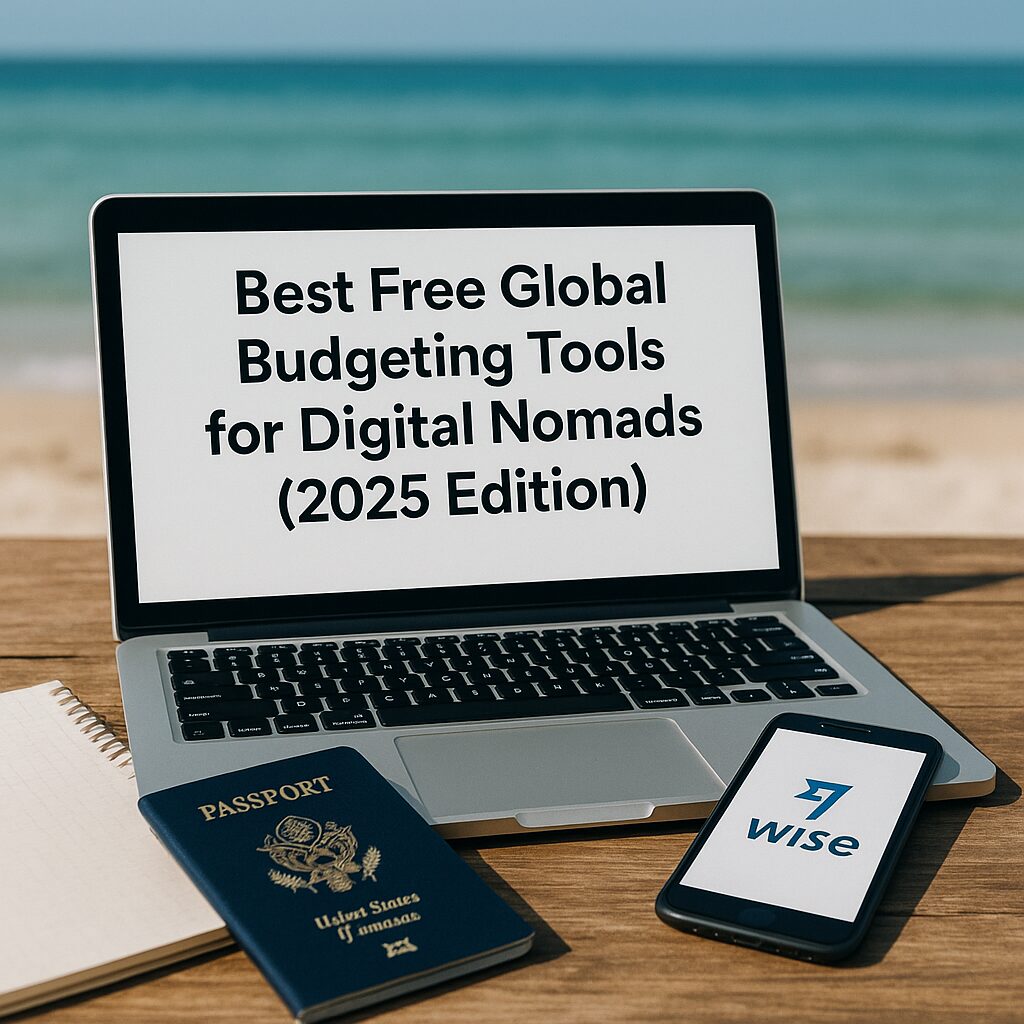
Best Free Global Budgeting Tools for Digital Nomads (2025 Edition)

A beachside workspace with a laptop displaying the article title, next to a passport, notebook, and smartphone showing the Wise app.

Managing money across currencies, countries, and platforms can be overwhelming — especially when you’re living out of a backpack and earning income in multiple time zones. Thankfully, there are powerful (and free) budgeting tools designed specifically for digital nomads.

Here are the best options in 2025 to track expenses, plan budgets, and stay financially sane — no matter where you are.


1. Spendee (Free Plan)

Best for: Visual budget planning across currencies

  • Supports multi-currency wallets
  • Syncs with your bank accounts (if supported in your region)
  • Easy-to-read pie charts and category-based expense tracking
  • Works well offline, perfect for travelers without constant internet

Why it works for nomads:
You can create different “wallets” for different locations or projects — e.g., “Chiang Mai Budget,” “Freelance Income,” or “Remote Work Expenses.”


2. Splitwise

Best for: Managing shared expenses with travel partners or roommates

  • Automatically tracks who owes whom
  • Real-time syncing across devices
  • Ideal for couples, teams, or group trips
  • Optional PayPal/Venmo integration for fast settlement

Why it works for nomads:
Digital nomads often co-live, travel together, or split subscriptions. Splitwise prevents small debts from becoming big stress.


3. Revolut Budgeting (Free Tier)

Best for: Automatic expense categorization + alerts

  • Links to your Revolut card
  • Auto-categorizes spending: food, travel, business, etc.
  • Sets monthly spending limits
  • Sends real-time push alerts when you exceed limits

Why it works for nomads:
No need to input data manually — it’s all done for you, and in your travel currency.


4. GoodBudget (Envelope System – Free Version)

Best for: Manual budgeters who like full control

  • Based on traditional “envelope budgeting”
  • Plan how much to spend in each category
  • Available on mobile and web
  • Syncs across devices (2 devices in free plan)

Why it works for nomads:
Helps maintain discipline without needing bank integrations. Useful for cash-heavy regions.


5. Google Sheets + Tiller Templates

Best for: DIY finance pros

  • 100% customizable
  • Use free templates from Tiller or Nomad blogs
  • Cloud-accessible from anywhere
  • Integrates with Google Finance functions

Why it works for nomads:
Offline-capable, ultra-flexible, and easy to back up. Best if you’re already spreadsheet-savvy.


Final Tip: Don’t Use Just One Tool

Combine them. For example:

  • Use Spendee for daily spending
  • Use Splitwise with your travel buddy
  • Use Google Sheets for long-term planning

Conclusion: Track Smarter, Not Harder

You don’t need to be a finance geek to budget like a pro in 2025.
These free tools make it easy to stay organized, even if your money flows in from Upwork in USD, gets spent in Thailand in THB, and your rent is paid in crypto.

Pick one or two that fit your style, and stick to them. Financial freedom starts with clarity.

Post #2 (Related to Main ATM Guide)

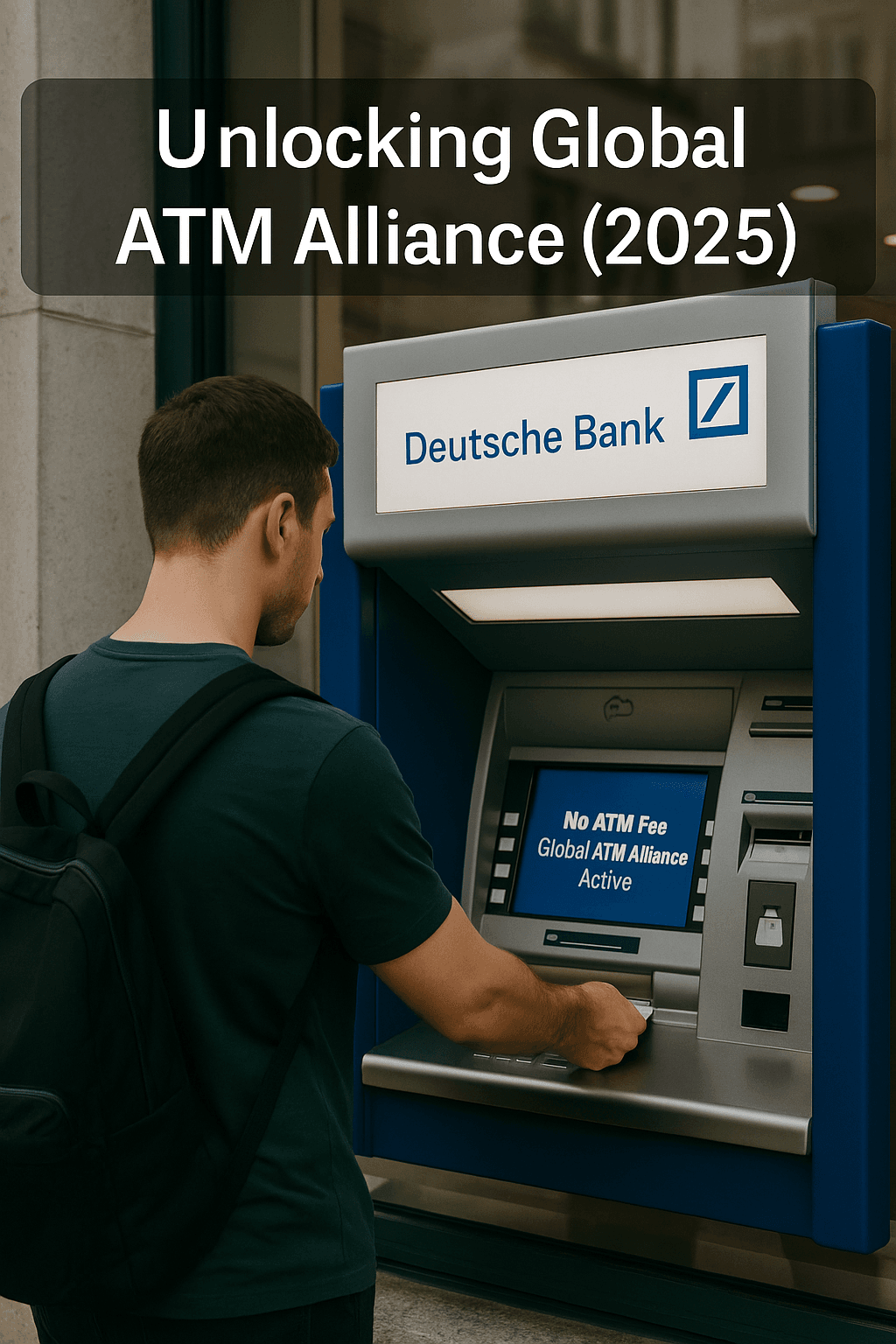
Man using a Deutsche Bank ATM abroad with Global ATM Alliance confirmation on screen

Unlocking the Global ATM Alliance: How to Withdraw Abroad Without Paying a Cent

The Secret Bank Networks That Let You Use ATMs Abroad for Free

If you’re constantly losing $3–$6 every time you withdraw cash abroad, you’re probably not using an ATM alliance network — one of the most overlooked features of global banking.

ATM alliances are partnerships between major banks in different countries that allow their customers to use each other’s machines without foreign ATM fees. That means zero ATM usage fees, even when you’re overseas.


What Is the Global ATM Alliance?

The Global ATM Alliance is one of the most popular examples.
It includes big-name banks from various regions:

  • Bank of America (USA)
  • Barclays (UK)
  • Deutsche Bank (Germany)
  • BNP Paribas (France)
  • Scotiabank (Canada)
  • Westpac (Australia & New Zealand)
  • Santander (Spain & Latin America)

If you hold a checking or debit account at any of these institutions, you can withdraw cash from partner bank ATMs abroad without ATM fees.


How It Works in Practice

Let’s say you’re a Bank of America customer traveling in Germany.
You walk up to a Deutsche Bank ATM, insert your card, and take out €200. Normally, you might expect a ~$5 international ATM fee plus a 3% conversion markup.

But because both banks are in the alliance:

You pay $0 in ATM usage fees
Only the Visa or Mastercard FX rate applies (no added markup from the ATM)

This alliance doesn’t eliminate foreign exchange fees from your bank, but it removes the flat ATM access fee, which is often the most painful.


Limitations to Watch Out For

  1. Not All ATMs Are Included:
    You must use official branch ATMs, not random third-party machines.
  2. FX Fees May Still Apply:
    Some banks charge a 1–3% foreign transaction fee, even within the alliance.
  3. ATM Withdrawals Only – Not Deposits or Inquiries

Always check your bank’s website for their official list of fee-free partners and whether your account qualifies.


Other Free ATM Networks (Besides Global ATM Alliance)

Depending on your bank or fintech provider, you may also get access to:

  • Allpoint Network (USA, Mexico, UK, Australia)
  • Cirrus or Plus (Mastercard/Visa global ATM networks)
  • Wise / Revolut / N26 partner networks
  • Local bank-specific agreements (e.g., Citibank global branches)

Each of these options may waive ATM fees or offer favorable rates if used properly.


Takeaway: One Step That Saves You Money in Every Country

Most people don’t realize that their current bank may already be part of a global network that helps them avoid ATM fees.
Before switching to a new fintech card, check your existing bank’s ATM partnerships — you might be one login away from saving hundreds of dollars this year.

If you travel internationally more than once a year, aligning your checking account with a global ATM alliance could be one of the smartest financial decisions you make.

5 Best AI-Powered Budgeting Apps That Save You Money Abroad

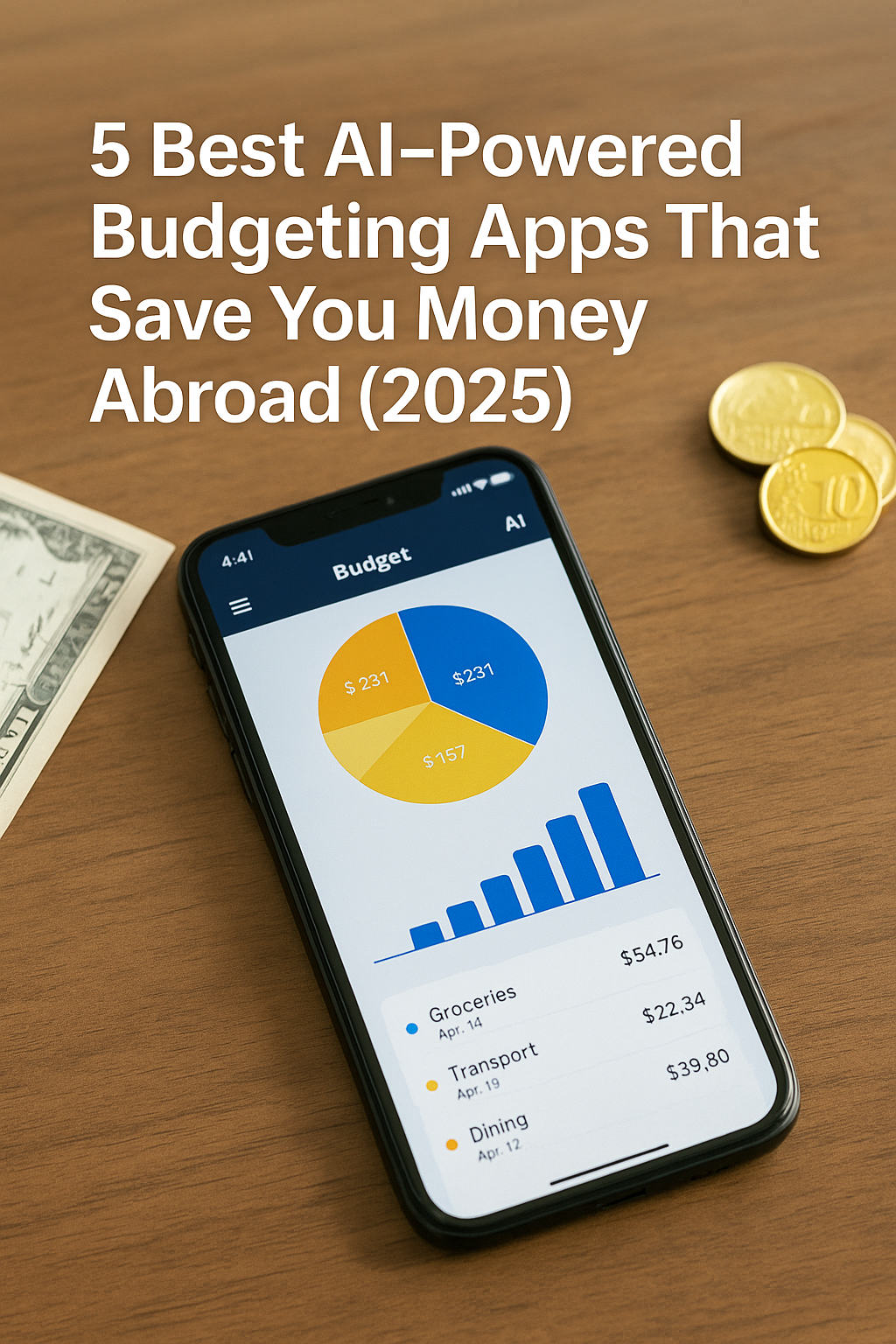
High-resolution photograph of a smartphone lying on a wooden table, displaying an AI-powered budgeting app with a pie chart, bar graph, and transaction list. The image is overlaid with the white bold title text at the top.

In today’s hyperconnected world, traveling and working abroad means juggling multiple currencies, fluctuating exchange rates, and unfamiliar spending patterns. Traditional budgeting tools often fall short when you’re hopping between countries and payment methods. AI-powered budgeting apps fill that gap by automatically categorizing expenses, forecasting future spending, and even suggesting optimizations tailored to your unique travel profile. In this guide, we’ll explore the five best AI-driven budgeting apps that help you save money abroad—covering features, pricing, security, and practical tips for making the most of each.

By the end of this article, you will be able to:

  1. Understand why AI budgeting is essential for international travelers
  2. Evaluate top apps based on core features and global compatibility
  3. Leverage predictive insights to anticipate and reduce overspending
  4. Integrate multiple bank accounts, cards, and wallets seamlessly
  5. Implement best practices for data privacy and security

1. Why AI Budgeting Matters for Travelers

1.1 Real-Time Currency Conversion

Manual currency conversion is error-prone and time-consuming. AI apps automatically detect the transaction currency, fetch real-time exchange rates, and display expenses in your base currency—eliminating surprises at month’s end.

1.2 Automated Expense Categorization

Rather than tagging each expense yourself, AI algorithms learn your spending habits (e.g., dining, transport, accommodation) and categorize new charges instantly. Over time, categorization accuracy exceeds 90%, giving you an accurate, up-to-date view of where your money goes.

1.3 Personalized Spending Insights

AI goes beyond static charts: it identifies your “spending anomalies”—for example, nights when dinner expenses spike in a new city—and offers tailored recommendations (e.g., switch to a local street-food vendor or seek a different co-working cafe).


2. App #1: TravelSpend AI

2.1 Key Features

  • Global Currency Support: 180+ currencies with automatic detection
  • AI-Driven Alerts: Notifications when you exceed your daily or weekly preset budget
  • Location-Based Tagging: Automatically applies merchant names and locations to transactions

2.2 Pricing

  • Free Tier: Up to 10 transactions/month, basic AI insights
  • Pro Tier ($4.99/month): Unlimited transactions, priority AI support, multi-currency wallets
  • Annual Discount: 20% off when billed yearly

2.3 Strengths & Weaknesses

  • Strengths: Intuitive map-based expense explorer, strong multi-currency handling
  • Weaknesses: Limited integrations with European neobanks; occasional syncing delays

2.4 Ideal Use Case

Backpackers and digital nomads on a shoestring budget who need light AI assistance without a steep subscription fee.


3. App #2: Wizely Budget

3.1 Key Features

  • AI Chatbot Advisor: Ask “How much did I spend on taxis in Lisbon?” and get instant breakdowns
  • Forecasting Engine: Predicts next month’s spending based on historical patterns with 85% accuracy
  • Goal Tracking: Set savings goals for a specific city or trip, and the AI alerts you if you’re off track

3.2 Pricing

  • Basic ($2.99/month): Up to 3 linked accounts, AI chatbot access
  • Plus ($6.99/month): Unlimited accounts, spending forecasts, goal tracking
  • Enterprise for Teams: Custom pricing for groups or couples traveling together

3.3 Strengths & Weaknesses

  • Strengths: Natural-language interface feels like texting a personal finance coach
  • Weaknesses: Forecast accuracy dips during rapid travel schedule changes

3.4 Ideal Use Case

Frequent travelers and expats who want conversational AI guidance and advanced forecasting to stay on budget.


4. App #3: NomadNest

4.1 Key Features

  • Subscription Management: Detects recurring digital nomad services (VPNs, co-working memberships) and flags high-cost subscriptions
  • “Spending Capsule” Reports: Weekly email briefs summarizing by-category trends and money-saving tips powered by AI
  • Split-Bill Calculator: Instantly calculates shared expenses when traveling in groups

4.2 Pricing

  • Free Plan: Core expense tracking, limited AI suggestions
  • Pro Plan ($5.99/month): All features unlocked, API access for custom dashboards

4.3 Strengths & Weaknesses

  • Strengths: Excellent at identifying and trimming redundant subscriptions
  • Weaknesses: Lacks offline expense entry for intermittent connectivity

4.4 Ideal Use Case

Digital nomads and long-term travelers managing multiple subscriptions and shared costs within a community or co-living arrangement.


5. App #4: Currensee

5.1 Key Features

  • Smart Transfer Recommendations: AI analyzes multi-currency balances and suggests optimal transfers to minimize forex fees
  • Integrated Travel Card: Comes with a prepaid card offering zero-markup on exchange rates up to a monthly limit
  • Live Analytics Dashboard: Web and mobile dashboards refresh in seconds for up-to-the-minute spending data

5.2 Pricing

  • Starter (Free): Basic budgeting, 1 prepaid card, 2 currency wallets
  • Traveler ($9.99/month): Unlimited wallets, premium AI transfer alerts, 24/7 live chat support

5.3 Strengths & Weaknesses

  • Strengths: Unique prepaid card integration, detailed transfer insights
  • Weaknesses: Higher subscription cost; premium features gated behind more expensive tier

5.4 Ideal Use Case

Frequent multi-currency travelers and small business owners who need to optimize forex transfers and access a dedicated travel card.


6. App #5: SageSpend

6.1 Key Features

  • Expense Snapshot Emails: Daily AI-curated email recaps highlight unusual spending activity and suggestions
  • Machine Learning Budget Adjustments: Automatically tweaks your monthly budget allocations as your spending evolves
  • Security AI: Monitors for fraudulent or duplicate charges and sends instant fraud-detector alerts

6.2 Pricing

  • Standard ($3.49/month): Up to 5 linked accounts, basic security alerts
  • Premium ($7.49/month): Unlimited accounts, full ML budget tuning, dedicated fraud hotline

6.3 Strengths & Weaknesses

  • Strengths: Outstanding fraud detection with rapid notifications
  • Weaknesses: Less robust multi-currency support, best suited for travelers with one or two foreign currencies

6.4 Ideal Use Case

Travelers deeply concerned about card security and those who prefer AI-powered fraud monitoring alongside budgeting.


7. Implementing AI Budgeting Best Practices

7.1 Centralize Account Connections

Link all relevant accounts—credit cards, bank accounts, e-wallets—to a single app to give the AI full visibility. Avoid siloed spreadsheets, which bypass AI categorization and forecasting algorithms.

7.2 Calibrate Your Notifications

Customize alert thresholds for categories where you tend to overspend. For instance, set a 20% lower daily dining budget early in your trip to maintain discipline in expensive cities.

7.3 Review AI Suggestions Weekly

Schedule a weekly “budget check-in” where you review the AI-generated report, adjust budget buckets as needed, and set new goals for the upcoming week.

7.4 Combine with Manual Tracking for Large Purchases

For major one-off expenses (e.g., equipment purchases), log these manually with more detailed notes so the AI can learn and categorize appropriately in the future.


8. Security and Data Privacy

8.1 End-to-End Encryption

Choose apps that encrypt data both in transit and at rest. Look for AES-256 or better, and confirm that the provider does not store unencrypted backups.

8.2 GDPR and Global Compliance

If you’re traveling within or to the EU, ensure the app is GDPR-compliant. Likewise, check compliance with data-privacy laws in your home country and the countries you visit.

8.3 Local Cache and Offline Mode

When connectivity is unreliable, apps with encrypted local caches allow you to record expenses offline; the AI syncs changes once you’re back online.

8.4 Transparent Privacy Policies

Read the privacy policy to confirm that your data won’t be sold to third parties. Premium apps often make bold transparency statements and undergo independent security audits.


9. On-Page SEO and CTA Integration

9.1 Target Keywords

  • Primary: “AI budgeting app for travelers 2025”
  • Secondary: “multi-currency expense tracker,” “automated travel budgeting”

9.2 On-Page Elements

  • Title Tag: 5 Best AI-Powered Budgeting Apps That Save You Money Abroad (2025)
  • Meta Description: “Discover the top 5 AI-driven budgeting apps for travelers in 2025—real-time currency conversion, predictive insights, fraud alerts, and more.”
  • Headings: Use H2 for each app section, H3 for feature/pricing/pros-cons

9.3 Effective CTA

“Ready to level up your travel finances? Try [App Name] free for 30 days and see how AI-powered insights can save you hundreds on your next trip.”

Embed affiliate or referral links within the CTA for accurate conversion tracking.


Conclusion

AI-powered budgeting apps are revolutionizing how we manage money on the move. From TravelSpend AI’s intuitive multi-currency support to Currensee’s smart transfer recommendations, there’s a solution tailored for every type of traveler. By centralizing all accounts, calibrating notifications, and following best security practices, you can harness AI to anticipate spending pitfalls, optimize currency exchanges, and ultimately save money abroad.

Stay tuned for Part 5: How to Legally Reduce Tax Liability as a Remote Worker Abroad (2025 Edition).

Top High-Yield Online Savings Accounts for Global Travelers (2025 Edition)

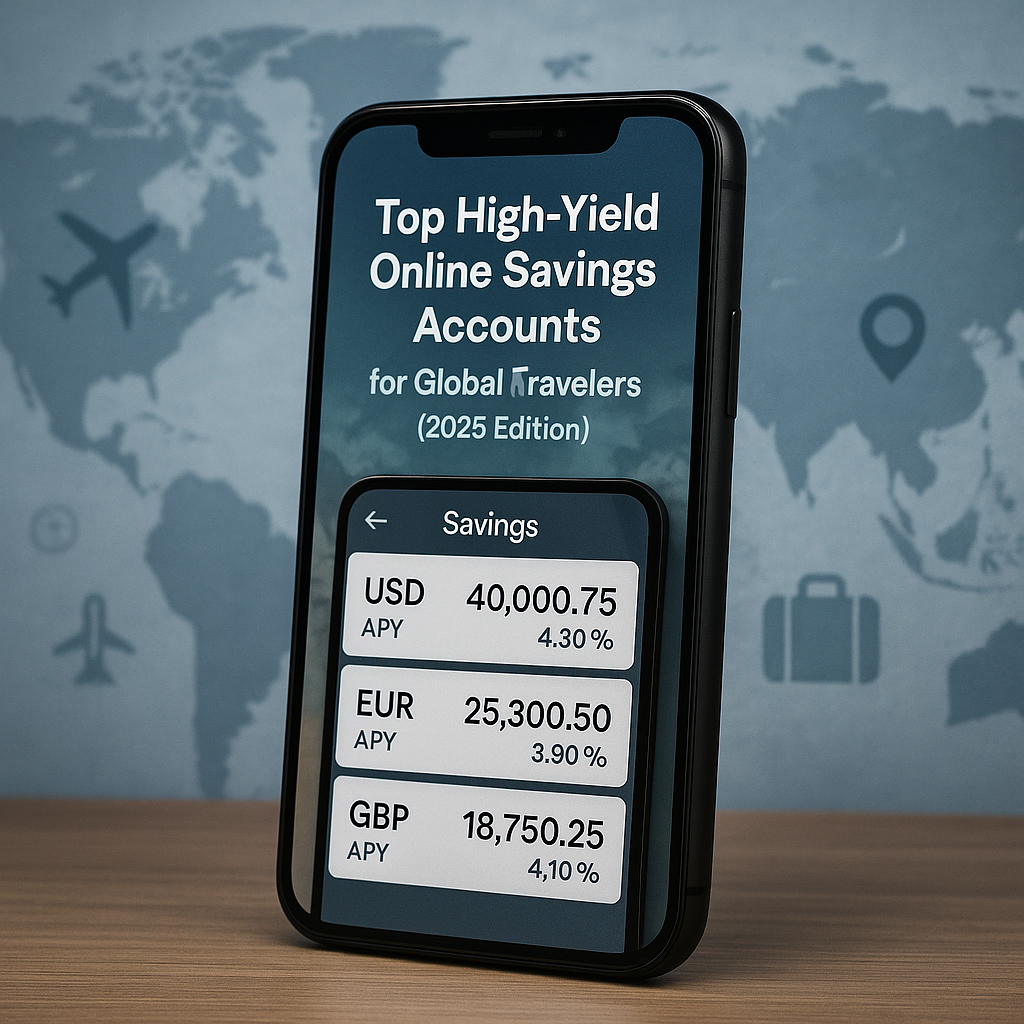
A realistic photograph of a smartphone displaying a savings app interface with USD, EUR, and GBP balances alongside their respective APY percentages; “Top High-Yield Online Savings Accounts for Global Travelers (2025 Edition)” text overlaid at the top; a softly blurred world map and subtle travel icons in the background.

For global travelers—tourists, expatriates, digital nomads, and anyone crossing borders regularly—finding an online savings account that offers both competitive interest rates and seamless cross-border access can supercharge your travel budget. In 2025, the fintech landscape has matured considerably, with multiple platforms providing APYs north of 4% on major currency savings. By selecting the right accounts, you can grow your reserves, hedge against inflation, and maintain liquidity in multiple currencies without hefty fees.

Why High-Yield Online Accounts Matter

Traditional brick-and-mortar banks often provide savings rates below 1%, which barely keeps pace with inflation. In contrast, online banks and neobanks leverage lower overheads and partnership networks to pass high yields on to customers. Beyond higher APYs, these platforms typically offer:

  • Zero or Low Fees: Waived maintenance fees and free global transfers up to certain limits.
  • Multi-Currency Wallets: Hold and switch between USD, EUR, GBP, and more within one interface.
  • User-Friendly Apps: Real-time alerts, automated savings rules, and integrated budgeting tools.
  • Regulatory Protections: FDIC or equivalent insurance coverage for deposited funds.

Top Five Accounts to Consider

  1. AltoFin (USD – 4.30% APY): No minimum balance, free ACH transfers, and round-up savings features.
  2. EuroNest (EUR – 3.90% APY): Specializes in euro savings with multi-tiered bonuses for balances above €50,000.
  3. BritBank (GBP – 4.10% APY): Competitive for UK residents, offers fee-free international card spending up to £2,000 monthly.
  4. WorldSavvy (Multi-Currency – 4.00% APY): Supports USD, EUR, GBP with a single global dashboard; tiered rates for higher balances.
  5. NomadFund (USD & EUR – 4.25% APY): Digital nomad-focused, includes ATM fee rebates and travel insurance perks.

How to Choose the Best Fit

  • APY vs. Access: Higher yields may come with withdrawal limits—prioritize platforms that balance rate and liquidity.
  • Currency Support: Ensure your primary travel currencies are available without conversion fees.
  • Minimum Balance Requirements: Avoid punitive fees if your balance dips below the threshold.
  • Additional Perks: Look for cash-back on travel spending, sign-up bonuses, or integrated travel insurance.

Setting Up and Optimizing

  1. Account Creation: Complete identity verification (often via app) and link a funding source—bank account or debit card.
  2. Automated Savings Rules: Enable round-ups, scheduled transfers, or percentage-based auto-saves on each transaction.
  3. Monitor Promotions: Many fintech apps run periodic bonus offers for new deposits or referrals—capitalize on them.
  4. Rate Alerts: Use built-in notifications or third-party trackers to switch funds when rates improve.
  5. Diversify Across Providers: Spread your funds among two or three top accounts to diversify risk and maximize yield.

By incorporating these high-yield online savings accounts into your global travel toolkit, you’ll amplify your purchasing power, outpace inflation, and streamline fund management regardless of where your journeys take you.

글로벌 여행자를 위한 고수익 온라인 저축 계좌 추천 (2025 에디션)

관광객, 해외 거주자, 디지털 노마드 등 국경을 넘어 자주 이동하는 여행자에게는 경쟁력 있는 금리와 원활한 국제 접근성을 제공하는 온라인 저축 계좌가 여행 예산을 크게 늘려줄 수 있다. 2025년 현재 핀테크 시장은 크게 성장해 주요 통화 예치에 4% 이상의 APY를 제공하는 플랫폼이 다수 등장했다. 적합한 계좌를 선택함으로써 예치금을 불리고, 인플레이션을 헤지하며, 여러 통화에서 수수료 부담 없이 유동성을 유지할 수 있다.

고수익 온라인 계좌가 중요한 이유

전통 은행의 저축 금리는 1% 미만으로 인플레이션을 따라잡기 어렵다. 반면 온라인 은행과 네오뱅크는 낮은 운영비와 파트너십 네트워크를 통해 높은 수익률을 고객에게 돌려준다. 고수익 외에도 이러한 플랫폼은 일반적으로 다음을 제공한다:

  • 제로 또는 저수수료: 유지비 면제 및 일정 한도 내 글로벌 송금 무료
  • 다중 통화 지갑: 한 인터페이스에서 USD, EUR, GBP 등 간편 전환
  • 사용자 친화적 앱: 실시간 알림, 자동 저축 규칙, 예산 도구 내장
  • 규제 보호: 예치금에 대한 FDIC 또는 유사 보험 적용

추천 고수익 계좌 Top 5

  1. AltoFin (USD – 4.30% APY): 최소 잔액 없음, 무료 ACH 이체, 자동 반올림 저축 기능
  2. EuroNest (EUR – 3.90% APY): 유로 맞춤형, €50,000 이상 잔액에 다단계 보너스 제공
  3. BritBank (GBP – 4.10% APY): 영국 거주자 대상 경쟁력 있는 금리, 월 £2,000까지 수수료 없는 해외 카드 결제 지원
  4. WorldSavvy (Multi-Currency – 4.00% APY): USD, EUR, GBP 지원되는 글로벌 대시보드, 잔액에 따라 차등 금리 적용
  5. NomadFund (USD & EUR – 4.25% APY): 디지털 노마드 특화, ATM 수수료 환급 및 여행자 보험 혜택 포함

최적의 계좌 선택 방법

  • APY vs. 접근성: 금리가 높을수록 인출 제한이 있을 수 있으므로 금리와 유동성 균형 고려
  • 통화 지원: 주사용 통화가 환전 수수료 없이 지원되는지 확인
  • 최소 잔액 조건: 잔액이 하회할 때 부과되는 벌금 수수료 방지
  • 부가 혜택: 여행 지출 캐시백, 신규 가입 보너스, 통합 여행자 보험 등 확인

설정 및 최적화 팁

  1. 계좌 개설: 앱을 통한 신원 인증 및 은행 계좌 또는 직불카드 연동
  2. 자동 저축 규칙: 반올림, 예약 이체, 거래별 일정 비율 자동 저축 활성화
  3. 프로모션 모니터링: 신규 예치 및 추천 코드 보너스 이벤트 적극 활용
  4. 금리 알림: 앱 알림 또는 써드파티 트래커로 금리 상승 시 환전
  5. 여러 플랫폼 활용: 두세 개 주요 계좌에 자금을 분산하여 리스크 분산 및 수익 극대화

이 고수익 온라인 저축 계좌들을 글로벌 여행 도구로 활용하면 구매력을 증진시키고 인플레이션을 앞서 나가며, 여행지 어디서든 자금을 효율적으로 관리할 수 있다.

Real-World Scenarios: How to Pay Smart While Traveling, Studying, or Running a Business Abroad

A real-life photo of a traveler’s desk featuring a laptop, passport, credit cards, and local currency bills, visually representing international payment strategies across different lifestyles.

Your Practical Guide to Saving Money Across Borders (2025 Edition)

In today’s globalized world, money moves as fast as people. Whether you’re backpacking across Southeast Asia, studying in a European city, or operating a cross-border business, how you spend your money abroad determines how much you keep.

In this guide, we break down real-life payment strategies used by international travelers, students, and entrepreneurs. These aren’t generic tips—they’re field-tested combinations of cards, wallets, and platforms that actually save money.

Why “Smart Payment Strategy” Matters More Than Ever

Even in 2025, international fees haven’t disappeared. Many banks still charge:

  • Foreign transaction fees (1%–5%)
  • Currency conversion markups
  • ATM withdrawal charges
  • Hidden fees through poor exchange rates

If you don’t have a clear strategy, you’re losing money with every purchase, every cash withdrawal, and every online transaction in another currency.


Section 1: Travelers – Short-Term Stays in Multiple Countries

Scenario: Sarah, a U.S. citizen, is on a 3-month trip across Japan, Thailand, and Vietnam. She doesn’t have time to open local bank accounts but wants to avoid FX fees.

Strategy:

  • Primary Payment: Wise multi-currency debit card
  • Backup: Curve card linked to her U.S. credit card
  • ATM Cash: Use Charles Schwab debit for free global withdrawals

Why It Works:

  • Wise avoids FX fees and shows real-time exchange rates
  • Curve lets her switch payment cards if one fails
  • Charles Schwab refunds ATM fees worldwide

Bonus Tip:

Use hotel or cafe Wi-Fi to check exchange rates before withdrawing.
In cash-heavy countries (like Vietnam), withdraw slightly more to reduce frequency.


Section 2: International Students – Mid-Term Stays With Limited ID

Scenario: Leo, from Brazil, is studying in South Korea. He has a student visa but not a local ID card yet. He needs to pay tuition, rent, and groceries.

Strategy:

  • Tuition: Wise account with KRW transfer option
  • Daily Spend: KakaoBank debit card (opened with student visa + housing contract)
  • Rent: Monthly wire via Wise or Revolut

Why It Works:

  • Wise converts BRL to KRW at the market rate
  • KakaoBank gives him access to Korean apps and QR payments
  • No FX fees on monthly large transfers with Wise/Revolut

Bonus Tip:

Always ask your school if they accept international bank wires or third-party payment gateways like Flywire or PayMyTuition.


Section 3: Digital Nomads – Long-Term Remote Workers

Scenario: Priya, an Indian software engineer, lives in Lisbon, Portugal but works remotely for clients in Canada and the U.S.

Strategy:

  • Income: Payoneer and Wise (USD receiving accounts)
  • Spending: Revolut debit for local EUR expenses
  • Savings: Transfer earnings monthly to Indian bank via Wise

Why It Works:

  • No need to open a Portuguese bank
  • Converts USD to EUR at interbank rate
  • Keeps full control of cash flow via apps

Bonus Tip:

Use Revolut’s vault feature to auto-save in multiple currencies.
It helps build local reserves and hedge against rate fluctuations.


Section 4: Entrepreneurs – Cross-Border Business Owners

Scenario: David, a British entrepreneur, sells products in the U.S. and Canada while managing operations from Dubai.

Strategy:

  • Receiving Payments: Stripe + Payoneer (USD + CAD)
  • Supplier Payments: Wise for mass payouts
  • Team Payroll: Revolut Business or Deel

Why It Works:

  • Stripe connects with Payoneer for low-fee transfers
  • Wise supports bulk payments in 70+ countries
  • Revolut Business gives dashboards, team permissions, and payroll flexibility

Bonus Tip:

If using Shopify or Amazon, integrate payouts directly to Payoneer to avoid U.S. bank routing delays.


Section 5: Retirees & Long-Term Residents

Scenario: Marie, a Canadian retiree, moves to Costa Rica for the winter season each year. She receives her pension in CAD.

Strategy:

  • Pension Deposit: Remains in Canada
  • Transfer to Costa Rica: Wise monthly to local account
  • Daily Spend: Local debit card + some cash from ATM

Why It Works:

  • Retains control over pension income
  • Avoids monthly international bank fees
  • Spends in local currency without high conversion costs

Bonus Tip:

For pensioners, Wise’s scheduled payments reduce effort and allow for budget automation.


Tools That Work Across All Scenarios

ToolBest UseFX FeesAvailability
WiseTransfers + spendingNone (real rate)Global
RevolutMulti-currency wallet + savingsFree under limitsUS, EU, Asia
PayoneerFreelance incomeFree internal190+ countries
CurveCard consolidation + FX savingFree up to limitsUK, EEA, US (beta)
Charles SchwabATM withdrawalsNone (reimbursed)US residents

Final Thoughts

Smart payment strategies in 2025 aren’t just “nice to have”—they’re essential for financial survival and freedom abroad.
By combining fintech tools, zero-FX cards, and practical scenario-based thinking, you can eliminate fees, boost savings, and reduce stress.

Whether you’re moving around the world or simply staying overseas for a few months, your money should travel smarter than ever.
Because the only thing worse than wasting money… is not even realizing you’re wasting it.

Top 5 Digital Wallets with Zero FX Fees (2025 Edition)

A flat lay showing a smartphone with a digital wallet icon, credit cards, a leather wallet, a laptop, and US dollar bills on a wooden desk, with bold text overlay of the blog post title.

The Ultimate Guide for International Travelers, Students, and Remote Workers

In 2025, financial independence is no longer about owning a credit card—it’s about how and where you use your money. Whether you’re a digital nomad in Lisbon, an international student in Seoul, a freelancer working remotely from Bali, or just a curious traveler exploring the world, one thing matters more than ever: eliminating hidden fees.

Among these fees, foreign exchange (FX) charges can quietly eat away at your budget. These can range from 1% to 5% depending on your bank or provider. If you’re spending a few thousand dollars abroad each year, that could mean hundreds lost to invisible charges.

That’s where digital wallets with zero FX fees come in—and in 2025, there are more options than ever. But which ones are actually trustworthy, functional, and worth your attention?

Here’s a deep dive into the top 5 digital wallets offering zero FX fees, real-world examples of when to use them, and strategies to combine them for maximum savings.

1. Wise (formerly TransferWise)

Best for: Transparent mid-market rates and real multi-currency accounts

What Makes It Stand Out:
Wise has become the go-to wallet for international payments and currency management. Unlike banks, Wise offers real mid-market exchange rates with no hidden markups. You can hold balances in 40+ currencies and receive payments using local bank details in USD, EUR, GBP, AUD, and more.

Real-World Example:
Imagine you’re a freelancer from Argentina working with U.S. clients. With Wise, you get a U.S. account number to receive payments like a local. Then, you can convert the funds to ARS (Argentine Peso) at real exchange rates—saving up to 8% compared to traditional banks.

Notable Features:

  • Local account numbers in multiple countries
  • Instant conversions between 40+ currencies
  • Debit card for travel spending
  • Mobile app with strong UX and support

Limitations:

  • Limited cashback or rewards
  • No crypto or investment features

Bottom Line:
If you value fair rates and cross-border banking without hidden costs, Wise is your wallet.


2. Revolut

Best for: All-in-one finance tool for travelers, investors, and budgeters

What Makes It Stand Out:
Revolut blends everyday finance with travel, investment, and budgeting in a clean mobile interface. It supports up to 30 fiat currencies and offers free foreign exchange within monthly limits on all plans (higher limits with paid plans).

Real-World Example:
A UK-based traveler visits Japan. With Revolut, they convert GBP to JPY instantly at the interbank rate and spend without fees using their card. They can also buy travel insurance or invest in stocks directly within the app.

Notable Features:

  • Virtual and physical cards
  • Crypto, stock, and commodity investments
  • Built-in budgeting tools
  • Fee-free ATM withdrawals up to set limits

Limitations:

  • Free FX capped monthly (usually £1,000 or equivalent)
  • Premium features locked behind paywalls
  • Not available in all countries

Bottom Line:
If you want a Swiss Army knife of finance tools while traveling, Revolut is your best bet.


3. N26

Best for: Sleek mobile banking with no FX fees (EU/US only)

What Makes It Stand Out:
N26 is a full-service mobile bank that has gained traction in Europe and parts of the U.S. It offers no foreign transaction fees on premium plans, a clean interface, and intuitive financial management.

Real-World Example:
A German student studying in California gets an N26 You account. They spend in USD without fees and track their budget in EUR through the app, thanks to multi-currency management and real-time notifications.

Notable Features:

  • Real-time spending insights
  • International travel insurance (premium)
  • Google/Apple Pay integration
  • Strong European customer support

Limitations:

  • Basic plan has limited features
  • Not globally available
  • Premium plan required for no-FX benefit

Bottom Line:
For EU and U.S. residents, N26 offers true mobile banking with sleek UX and FX fee elimination for premium users.


4. Payoneer

Best for: Freelancers, online sellers, and B2B business

What Makes It Stand Out:
Payoneer shines in the world of global commerce. You can receive payments in USD, EUR, GBP, and other currencies via platforms like Upwork, Fiverr, and Amazon. Internal currency transfers and payments to other Payoneer users are free of FX fees.

Real-World Example:
A freelancer in the Philippines receives USD payments from an American client via Payoneer, converts it to PHP, and withdraws to a local bank. The conversion cost is significantly lower than traditional wire transfers.

Notable Features:

  • Multi-currency receiving accounts
  • Mass payout tools for businesses
  • Works well with major platforms (eBay, Airbnb)
  • Mastercard debit card available

Limitations:

  • Some withdrawals incur FX charges
  • Account inactivity fees if not used
  • Slower customer service compared to peers

Bottom Line:
If you earn money internationally, Payoneer is a powerful, fee-saving companion.


5. Curve

Best for: Centralizing your cards with no FX fees

What Makes It Stand Out:
Curve doesn’t issue its own funds—it connects your existing cards into one interface. You can spend globally using your local cards via Curve’s platform, and avoid FX fees (up to £1,000 per month on free plan).

Real-World Example:
A UK user links their no-fee local Visa and Mastercard to Curve. While traveling in Mexico, they pay using Curve and benefit from built-in FX savings, even switching the payment source post-transaction using the “Back in Time” feature.

Notable Features:

  • Consolidate multiple cards into one
  • “Back in Time” payment switching
  • Cashback offers and spending insights
  • Zero FX fees on international transactions (limits apply)

Limitations:

  • FX-free limits are modest on free plan
  • Only supports select countries
  • Not ideal as a standalone wallet

Bottom Line:
Curve is a clever FX tool for those who already use multiple cards and want to simplify global spending.

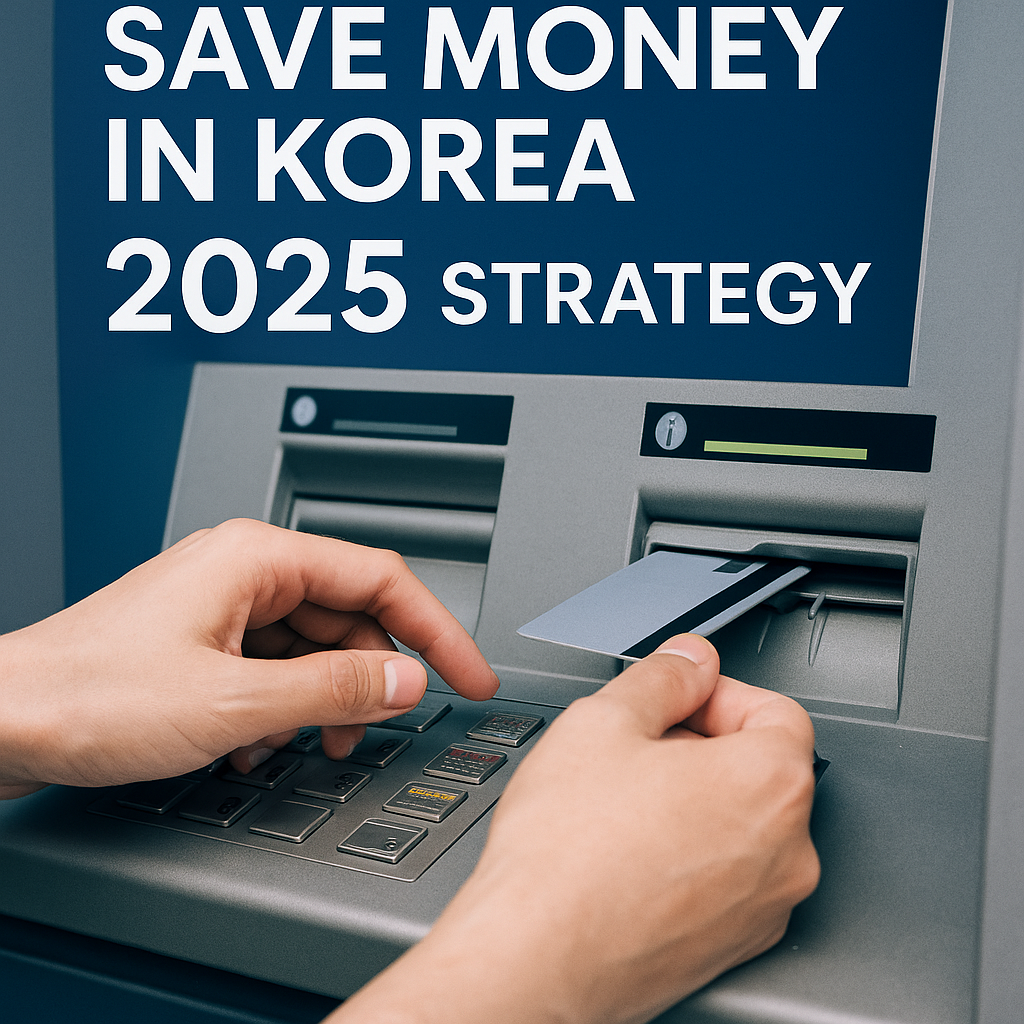
How to Save on ATM Withdrawals and Cash Exchange in Korea (2025 Strategy)

international credit cards accepted in korea for easy payments by tourists

Introduction

Although Korea is a highly card-friendly society, carrying a small amount of cash remains essential for certain transactions such as street markets, taxis, and rural areas. However, travelers often lose money through unnecessary fees during ATM withdrawals and currency exchanges. In this guide, we’ll show you how to minimize those losses with smart strategies that every savvy traveler should know.

Saving on ATM Withdrawals in Korea

Use Global ATM Networks

Look for ATMs with logos like Global ATM, Cirrus, or Plus. These machines are optimized for international cards and tend to offer better exchange rates with fewer additional charges.
➔ You can usually find them at major banks (e.g., KB Kookmin Bank, Shinhan Bank) and inside convenience stores like 7-Eleven.

Avoid Dynamic Currency Conversion (DCC)

If an ATM offers to charge you in USD instead of KRW (Korean Won), decline. Always opt for local currency (KRW) to avoid hidden conversion fees and poor exchange rates.

Choose Cards with ATM Fee Reimbursement

Several U.S. banks offer credit or debit cards that reimburse international ATM fees:

  • Charles Schwab Bank High Yield Investor Checking Account: Unlimited worldwide ATM fee rebates.
  • Fidelity Cash Management Account: No ATM fees anywhere globally.
  • SoFi Checking and Savings: Refunds ATM fees at international ATMs.

If you have one of these cards, you can withdraw cash without worrying about extra costs.


Airport vs. City Currency Exchange: Which Is Better?

Why You Should Avoid Airport Exchange Counters

Airport currency exchange booths are extremely convenient but notoriously expensive. Rates can be 5–10% worse compared to city-based banks or specialized money changers.

If you must exchange at the airport, limit it to a minimal amount—just enough for initial transportation (like subway fare or a taxi ride).

Where to Get the Best Rates in the City

For the best rates, visit:

  • Major banks such as KB Kookmin Bank, Woori Bank, and Hana Bank.
  • Licensed currency exchange shops in tourist areas like Myeongdong or Hongdae (often better than banks for cash).

Always compare rates and ask about service fees before finalizing your exchange.


Optimal Timing for Exchange

  • Exchange on weekdays (Mon–Fri): Banks are fully operational, and better rates are available.
  • Avoid weekends and holidays: Banks are closed, and exchange counters may charge higher fees.
  • Monitor exchange rates: Even a small shift of 1–2% can make a big difference for larger sums.

Tip: Some Korean banks offer online reservation systems for currency exchange at preferred rates. You can book online and pick up your cash at a branch or airport kiosk.


Best Cash vs Card Strategy in Korea

The smartest way to manage your money in Korea is to minimize the cash you carry and rely mostly on cards.

  • Cash: Carry around 100,000–200,000 KRW ($75–$150) for small vendors, taxis, and emergencies.
  • Card: Use a no-foreign-transaction-fee credit card for hotels, restaurants, shopping, and transportation.

This method keeps you protected against theft or loss, while maximizing rewards from card payments.


Conclusion

In 2025, smart travelers to Korea don’t simply exchange money—they optimize every dollar.
By using global ATM networks, choosing fee-reimbursing cards, avoiding airport traps, and balancing cash with card usage, you can stretch your budget further and travel with confidence.

Plan ahead, act smart, and make every cent work for you while exploring Korea.

《The Invisible Fee: How You’re Losing Money Every Time You Pay Abroad》

Traveling abroad for health and wellness exploring cultural and medial services

You’re Losing Money Every Time You Swipe — But You Don’t Know It Yet

Here’s a harsh truth:
Every time you pay with your card abroad, you’re probably losing money.
Not because of scams. Not because you’re careless.
But because of something more invisible — hidden fees.

These fees don’t show up clearly on your receipt.
They’re quietly embedded into currency conversions, foreign transaction fees, and manipulated exchange rates.

And they add up fast.


What Are You Actually Paying For?

Let’s break down where your money is really going:

  • Foreign Transaction Fees:
    Usually 1–3% per purchase. Charged by your card issuer (e.g., Chase, Bank of America, Capital One).
  • Currency Conversion Spread:
    You don’t get the real mid-market rate.
    You get a marked-up rate that can cost you an additional 2–4%.
  • DCC (Dynamic Currency Conversion):
    That friendly “Would you like to pay in USD?” message?
    It often comes with a 5–8% hidden fee built in.
  • ATM Fees:
    Many foreign ATMs charge $5–10 per withdrawal — plus your bank might add more.

Real Example: How $2,000 Turns into $1,846

Let’s say you take a 2-week trip to Korea and spend $2,000:

  • Foreign transaction fees (2.5%) = $50
  • Currency conversion spread (3%) = $60
  • Two DCC transactions (6%) = $72
  • One ATM withdrawal = $12

Total loss = $194
That’s nearly 10% of your spending gone — and you didn’t even notice.


The Most Common Mistakes Travelers Make

  1. Paying in USD instead of local currency
    → DCC is designed to feel convenient, but it’s a fee trap.
  2. Using the wrong credit/debit cards
    → Not all “travel cards” are truly fee-free.
  3. Ignoring exchange rates
    → Most people don’t realize their bank is silently profiting.
  4. Assuming PayPal is always cheaper
    → In reality, PayPal adds a 3–4% fee for currency conversion.

Why This Isn’t Just a Travel Problem

These fees aren’t just for tourists.
They affect:

  • Digital nomads: who work while traveling
  • Remote freelancers: receiving or sending international payments
  • International students: paying tuition, housing, or food abroad
  • Everyday people: booking flights, shopping from overseas, or using foreign apps

Even small expenses — $5 here, $10 there — bleed out over months.


What Makes This Worse: The Fees Are Invisible

You never get a clear breakdown.
No receipt says “We just charged you an extra 6%.”

That’s why so many people never realize how much they’re losing.
They blame “travel costs” — when in fact, it’s bad financial tools draining them silently.


So What’s the Solution?

That’s what this 5-part series is about.

We’ll cover:

  • The best debit/credit cards with zero fees
  • How to avoid DCC traps
  • Which apps work internationally (and which don’t)
  • How to withdraw cash abroad without fee nightmares
  • Real strategies to keep every dollar working for you

Coming Up Next

Part 2: Smart Cards Only – The Best Travel-Friendly Cards with Zero Fees
→ Featuring Wise, Revolut, Charles Schwab, and more.
→ Real experiences. Real savings. Zero BS.


Your money should work hard for you — not disappear with every swipe abroad.