Zero-Fee Global Transfers: 5 Key Tips

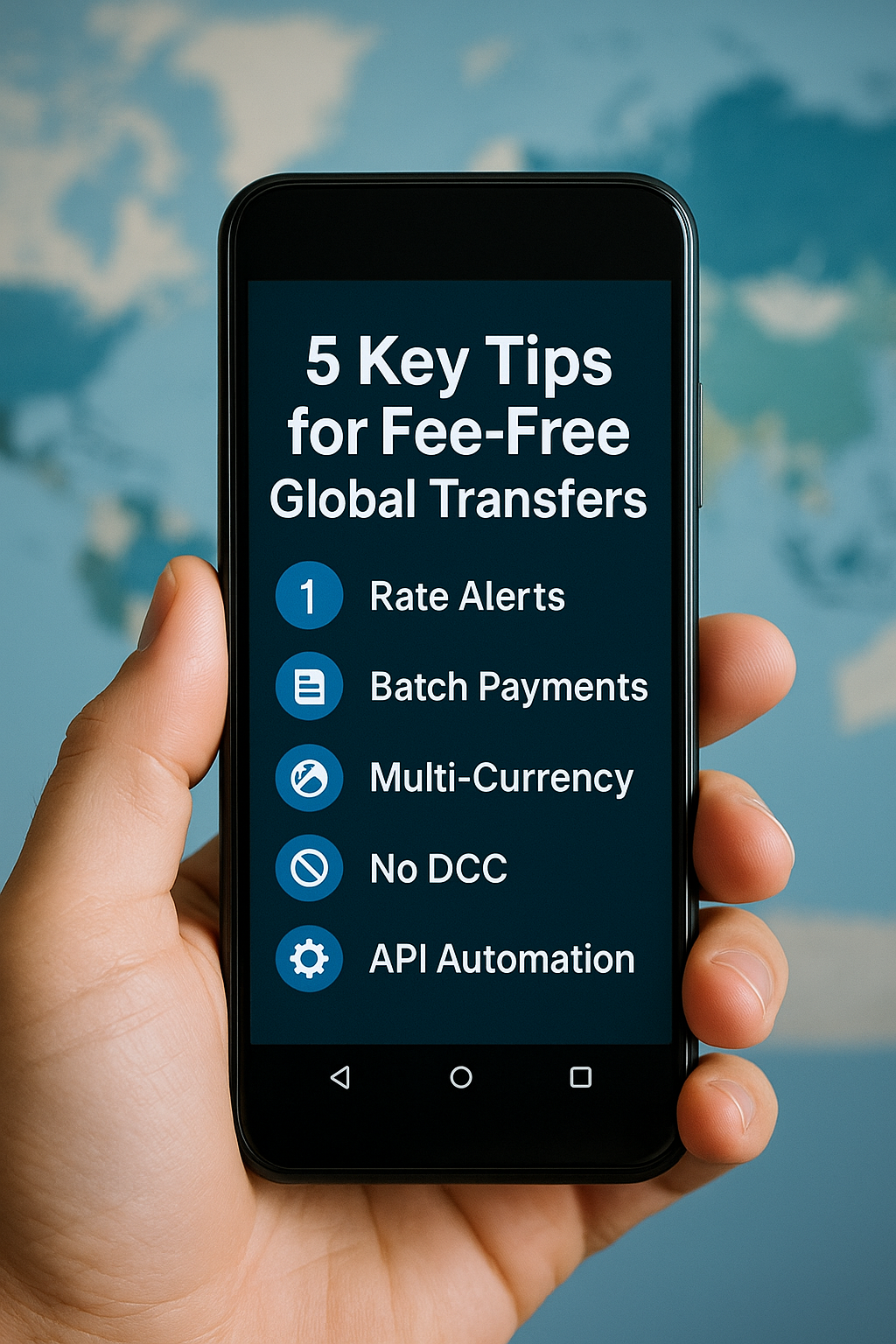
A hand holding a smartphone screen displaying a list titled “5 Key Tips for Fee-Free Global Transfers” with icons for Rate Alerts, Batch Payments, Multi-Currency, No DCC, and API Automation against a blurred world map background.

Sending money abroad shouldn’t cost a fortune. Traditional banks and remittance services can quietly deduct 2–3% (or more) through flat fees, poor exchange rates, and intermediary bank charges. Here are five quick, powerful strategies to slash your costs:

  1. Set Rate Alerts:
    Choose a target exchange rate (e.g., 1 USD = 0.92 EUR) on platforms like Wise or Revolut. Receive instant notifications and lock in savings automatically.
  2. Batch Payments:
    Upload up to 1,000 recipients in a spreadsheet and send all payments at once. Pay a single small percentage fee instead of multiple fixed fees.
  3. Hold Multiple Currencies:
    Keep balances in key currencies (USD, EUR, GBP) and convert in small increments when rates hit your target.
  4. Use a Fee-Transparent Card:
    Pay abroad with a Wise debit card and always decline dynamic currency conversion (DCC) to avoid hidden markups.
  5. Automate with API:
    Integrate Wise with accounting software to schedule recurring transfers, reducing manual work and errors.

By applying these tips, you can reduce your international transfer fee below 0.3%—often to zero. Start today and keep 100% of your funds.

Mastering Zero-Fee Global Transfers: A Complete Guide to Keeping 100% of Your Money

A hand holding a smartphone displaying “Mastering Zero-Fee Global Transfers: Keep 100% of Your Money – Complete Guide & 5 Key Tips” against a blurred world map background with floating currency symbols.

Imagine sending $1,000 overseas and discovering your friend only got $950. That $50 “loss” isn’t magic—it’s hidden fees, poor exchange rates, and middle-bank charges. If you send money regularly—for rent, tuition, or to support family—those costs can total hundreds or even thousands of dollars a year. This guide shows you how to eliminate nearly all extra charges, keep 100% of your funds, and use advanced tactics to save even more.


1. Understand Where Your Money Goes

Flat Transaction Fees

  • Big banks often charge $25–$50 per transfer, regardless of amount.
  • Specialty services may advertise low fees but tack on additional charges later.

Exchange Rate Markups

  • Banks offer an “offered rate” that’s 1–3% worse than the true mid-market rate (the rate you see on Google or XE).
  • That margin is pure profit for them.

Correspondent Bank Fees

  • International transfers via SWIFT often pass through 2–3 intermediary banks, each adding $5–$15.
  • A chain of three can tack on $15–$45 extra.

Receiving Bank Fees

  • The recipient’s bank may deduct $5–$10 as a handling fee before crediting the final account.

Combined, these can reduce your friend’s payout to 85–90% of what you sent.


2. Switch to Fee-Transparent Platforms

Wise (formerly TransferWise) uses a peer-to-peer model:

  • Your USD goes into Wise’s U.S. account.
  • Wise pays out EUR from its European account.
  • No cross-border hops means no correspondent fees.

True Mid-Market Rates

  • Wise applies the exact rate you see online—zero markup.

Small, Upfront Fee

  • Around 0.4% of the transfer amount (varies by currency).
  • You see the breakdown—“Send $1,000 → Receive €900; Fee $4”—before you confirm.

Local Bank Accounts

  • Wise holds accounts in the U.S., U.K., EU, Australia, etc.
  • Transfers happen locally, bypassing expensive international routes.

Need quick tips?
<a href=”/zero-fee-global-transfers-5-key-tips”>Zero-Fee Global Transfers: 5 Key Tips →</a>


3. Getting Started

  1. Sign Up: Go to wise.com or download the Wise app. Enter your email and create a password.
  2. Add Details: Fill in your name, birthdate, address, and reason for transfer.
  3. Verify Identity: Upload your passport or driver’s license and take a quick selfie. Most verifications finish in 1–2 hours.

Once verified, you can send large amounts safely and legally.


4. Advanced Strategies for Extra Savings

1. Rate Alerts & Timing

  • Set a target rate (e.g., 1 USD = 0.92 EUR) in Wise or Revolut.
  • Receive instant alerts and execute transfers automatically.
  • A 0.5% improvement on $5,000 saves you $25 in a single transaction.

2. Batch Payments for Multiple Recipients

  • Prepare a CSV with up to 1,000 recipients.
  • Review and approve all payments in one click.
  • Pay one small percentage fee on the total rather than many fixed fees.

3. Multi-Currency Balances

  • Hold dozens of currencies in one account.
  • Top up when your chosen currency dips below your target rate, then convert later.
  • Smooth out rate fluctuations and maximize purchasing power.

4. Fee-Free Card Spending

  • Use Wise’s debit card to pay at mid-market rates.
  • Always decline dynamic currency conversion (DCC) prompts.
  • Link to Apple Pay or Google Pay to avoid hidden markups.

5. API Integration for Businesses

  • Connect Wise to accounting software (Xero, QuickBooks) or your own system.
  • Automate payroll, vendor payouts, or subscription refunds.
  • Eliminate manual work and maintain an auditable payment trail.

5. Compare Your Options

ServiceFee StructureProsCons
Wise~0.2–0.5%True rate, transparent, fastSmall fee on tiny transfers
Revolut0–1% weekdays (+weekend markup)Free within network, slick UXWeekend markups, limited geos
PayPal2.5–4% currency margin + feesVery popular, instant transfersHigh FX fees, freezing risk
Banks3–5% total costUniversal access, perceived securitySlow, opaque fees

6. Real-World Savings Examples

  • Freelancer in New York → Berlin Contractors
    • Old way: $2,000 transfer → €1,880 after $30 + 2% markup
    • Wise: Fee $8 (0.4%) + mid-market rate → €1,992
    • Result: Saves $22/month; contractor gains €112/month; $264 + €1,344 annual impact
  • Student in Sydney → Family in India
    • Old way: AUD 1,000 → family gets INR 57,000 after AUD 15 + 2.5% margin
    • Wise: Fee AUD 4 + true rate → INR 60,000
    • Result: Family gains INR 3,000/month; INR 36,000/year

7. Your Action Plan

  1. Set Rate Alerts:
    Choose a target exchange rate (e.g., 1 USD = 0.92 EUR) on platforms like Wise or Revolut. Receive instant notifications and lock in savings automatically.
  2. Batch Payments:
    Upload up to 1,000 recipients in a spreadsheet and send all payments at once. Pay a single small percentage fee instead of multiple fixed fees.
  3. Hold Multiple Currencies:
    Keep balances in key currencies (USD, EUR, GBP) and convert in small increments when rates hit your target.
  4. Use a Fee-Transparent Card:
    Pay abroad with a Wise debit card and always decline dynamic currency conversion (DCC) to avoid hidden markups.
  5. Automate with API:
    Integrate Wise with accounting software to schedule recurring transfers, reducing manual work and errors.

Ready to keep 100% of your money?
<a href=”/mastering-zero-fee-global-transfers-complete-guide-keep-100-percent-of-your-money”>Complete Guide 다시 보기 →</a>

By applying these tips, you can reduce your international transfer fee below 0.3%—often to zero. Start today and keep 100% of your funds.

Zero-Fee Global Transfers: 5 Key Tips for Maximum Savings

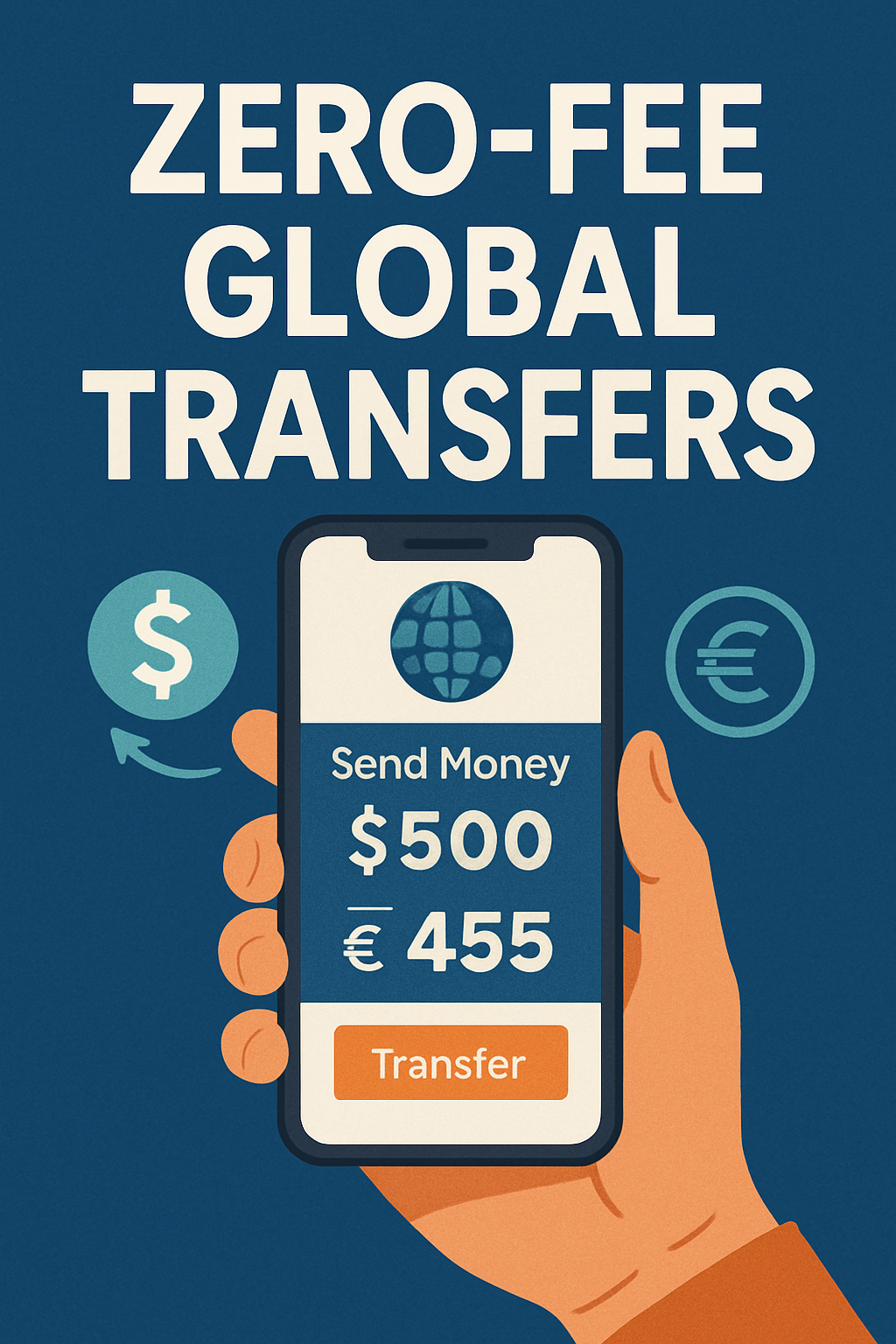
A hand holding a smartphone showing “Send Money $500 → €455” with a “Transfer” button at the bottom, against a global map background with currency symbols.

Sending money abroad shouldn’t cost you a fortune. Yet traditional banks and remittance services can quietly deduct 2–3% (or more) from every transfer through flat fees, poor exchange rates, and middle-bank charges. Over time, those hidden costs add up, eroding hundreds of dollars from your hard-earned funds.

Below is a concise guide—under 800 words—that distills the most effective strategies to cut your international transfer costs to nearly zero.


1. Set Up Rate Alerts and Strike at the Right Moment

Exchange rates fluctuate constantly. Capturing even a 0.5% improvement on a single large transfer can save you tens of dollars.

  • Choose your target rate. On platforms like Wise or Revolut, set a custom alert for the exchange rate you need (e.g., 1 USD = 0.92 EUR).
  • Receive instant notifications. As soon as the market hits your rate, you’ll get an email or push notification.
  • Execute immediately. Avoid manual checking: let the alert trigger your transfer so you lock in savings without delay.

Why it matters: A 0.5% gain on $5,000 is $25 saved in one transaction—compounded over time, that’s significant.


2. Use Batch Payments for Multiple Recipients

If you send to several people each month—freelancers, family members, or contractors—batch payments eliminate repeated fixed fees and manual work.

  • Upload a spreadsheet. Prepare a CSV listing each recipient’s name, account details, and amount.
  • One-click approval. Review the batch in your dashboard, then confirm all payments simultaneously.
  • Avoid per-transfer flat fees. Rather than $5 per person, you pay a single, small percentage fee on the total.

Why it matters: Sending 10 separate $200 transfers at $5 each costs $50 in flat fees. Batch payments may reduce that to a single $3–$5 fee, saving over 90%.


3. Hold and Convert in Multiple Currencies

Rather than converting a large lump sum all at once, maintain balances in key currencies and exchange when rates are favorable.

  • Open a multi-currency account. Services like Wise let you hold dozens of currencies under one login.
  • Watch your “buy” thresholds. Decide the rate at which you’re comfortable converting (e.g., 1 USD = 0.89 EUR).
  • Execute in pieces. Top up your EUR balance in smaller increments whenever the market dips below your threshold.

Why it matters: If you convert $10,000 in two tranches—$5,000 at 1 USD = 0.90 EUR and $5,000 at 1 USD = 0.92 EUR—you average 1 USD = 0.91 EUR, saving more than converting the full amount at a single, lower rate.


4. Spend Abroad at True Mid-Market Rates

When traveling or making online purchases in foreign currency, avoid dynamic currency conversion (DCC) and merchant markups.

  • Use a fee-transparent debit card. A Wise or Revolut card charges you exactly the mid-market rate shown on Google or XE.
  • Decline DCC at checkout. If a retailer prompts you to pay in your home currency, always choose to pay in the local currency.
  • Link to mobile wallets. Add your card to Apple Pay or Google Pay to prevent merchants from slipping in hidden fees.

Why it matters: A 1% markup on a €1,000 hotel bill is €10 lost. Over multiple purchases, these charges quickly eclipse any annual foreign-transaction fee.


5. Automate Transfers via API for Recurring Payments

For businesses, freelancers, or anyone with regular payouts, API integration streamlines the process and slashes manual errors.

  • Connect your accounting software. Platforms like Xero, QuickBooks, or Zoho Books often support direct Wise integration.
  • Trigger on invoices or schedules. Automate payroll, vendor bills, or subscription refunds at set dates.
  • Maintain an auditable trail. Each transaction is logged with metadata, simplifying reporting and compliance.

Why it matters: Automating a $50,000 monthly payroll at 0.4% fee costs $200. Manual wires at 1.5% (plus $30 flat) would cost $780—almost four times as much.


Putting It All Together

  1. Audit your past transfers. Calculate total fees paid over the last 6–12 months.
  2. Sign up and verify. Create accounts on Wise (or similar), complete KYC, and fund your multi-currency balances.
  3. Configure alerts. Set up your desired exchange-rate targets and notification channels.
  4. Schedule batch or recurring transfers. Migrate bulk payouts and regular payments to batch or API methods.
  5. Use your card wisely. Pay abroad at true rates, always refusing DCC.

By combining these five tactics—rate alerts, batch payments, multi-currency holding, transparent card spending, and API automation—you can drive your per-transfer fee below 0.3% and, in many cases, effectively to zero.

Start today, keep 100% of your money, and watch your savings grow over every international transfer.

Zero-Fee Global Transfers: How to Keep 100% of Your Money

A hand holding a smartphone displaying the Wise app screen with the text “Zero-fee international transfers” against a blurred world map background with currency symbols.

Table of Contents

  1. Introduction: Why Sending Money Abroad Can Cost You
  2. How Traditional Banks and Services Add Hidden Fees
  3. Meet Wise: A Simple Way to Cut Costs
  4. Opening and Verifying Your Wise Account
  5. Step-by-Step: Sending Your First Wise Transfer
  6. Smart Tips for Bigger Transfers and Multiple Currencies
  7. Comparing Wise with Other Services
  8. Real-Life Stories: How People Saved Money with Wise
  9. Frequently Asked Questions (FAQ)
  10. Summary and Next Steps

1. Introduction: Why Sending Money Abroad Can Cost You

Imagine you need to send $100 to a friend studying overseas. You log into your bank’s online system or visit a branch, enter the details, and press send. A few days later, your friend checks their account only to find $95. Where did the extra $5 go?

Every time you send money across borders, you might pay more than you realize:

  • Flat fees: A set charge, for example $5 or $10 each time you send money.
  • Exchange rate markups: Banks often give you a worse rate than the true market rate, keeping the difference.
  • Middleman fees: Large transfers often pass through one or more banks before reaching the final destination, each taking a cut.

These hidden costs add up. If you send money regularly—for rent, tuition, or to support family—losing even 2–3% per transfer can mean hundreds of dollars wasted each year. In this guide, we’ll show you how modern services like Wise let you keep nearly 100% of what you send, all in easy steps anyone can follow.


2. How Traditional Banks and Services Add Hidden Fees

To understand why Wise saves you money, first let’s break down how banks and old-style money-transfer companies charge you.

2.1 Flat Transaction Fees

Most banks charge a flat fee every time you initiate an international transfer. Common examples:

  • Large banks may charge $25–$50 per transfer.
  • Regional banks might charge $10–$20.
  • Specialty money-transfer shops (like Western Union) often charge $5–$15 but add other fees too.

This fee applies whether you send $100 or $10,000. If you send small amounts often, the fixed fee can swallow a large percentage of your payment.

2.2 Exchange Rate Markups

When you send one currency (say USD) and your friend gets another (say Euros), the bank uses an exchange rate. But it is rarely the true mid-market rate.

  • Mid-market rate: The real rate banks use to trade with each other (what you see on Google or XE).
  • Offered rate: The rate your bank gives you, usually 1–3% worse. That 1–3% difference goes straight into the bank’s pocket.

For example:

  • True rate: $1.00 = €0.90
  • Bank’s rate: $1.00 = €0.87
    If you send $1,000, you get €870 instead of €900, a €30 loss before any other fees.

2.3 Correspondent (Middle) Bank Fees

Large transfers often move through the SWIFT network. Your bank sends money to a “correspondent” bank, which then passes it on, and finally to the recipient’s bank. Each link can charge a fee, typically $5–$15.

If three banks are involved, that’s $15–$45 in extra charges, on top of flat fees and markup.

2.4 Hidden Recipient Fees

Even after your money arrives, the recipient’s bank may deduct a handling fee before crediting the account. The recipient might lose another $5–$10 unexpectedly.


3. Meet Wise: A Simple Way to Cut Costs

Wise (formerly TransferWise) was built to solve these problems. Here’s how it works in plain terms:

3.1 Peer-to-Peer Matching

  • You want to send USD to Europe; someone else wants to send EUR to the U.S.
  • Instead of moving money across borders, Wise matches you:
    • Your USD goes into Wise’s U.S. account.
    • Wise pays your friend from its European account in EUR.
  • No need to move money across the ocean—no middle-bank fees.

3.2 True Mid-Market Exchange Rate

  • Wise uses the exact rate you see online (Google/XE).
  • You know you’re not getting a bad deal on currency conversion.

3.3 A Small, Transparent Fee

  • Wise charges a clear fee of around 0.4% of the amount sent (varies by currency pair).
  • You see the fee breakdown before you confirm. No surprises.

3.4 Local Bank Accounts

  • Wise has bank accounts in many countries (U.S., U.K., EU).
  • Sending money means moving funds locally, so you bypass expensive international routes.

4. Opening and Verifying Your Wise Account

Anybody can sign up for Wise in minutes. No special knowledge is needed.

4.1 Sign Up

  1. Go to wise.com or download the Wise app (iOS/Android).
  2. Enter your email and create a password.
  3. Confirm your email address.

4.2 Add Basic Details

  • Full name, date of birth, address.
  • Reason for transfer (personal payment, gift, business).
  • All in simple fill-in-the-blank forms.

4.3 Identity Verification

To comply with laws, Wise asks you to prove who you are:

  • Upload a photo of your ID (passport or driver’s license).
  • Take a quick selfie.
  • Wise reviews and verifies within 1–2 hours.

Once verified, you can send up to very large amounts safely.


5. Step-by-Step: Sending Your First Wise Transfer

Now that you have a verified account, here’s exactly how to send your first transfer.

5.1 Start a New Transfer

  • Log in and click “Send Money.”
  • Choose sending currency (USD, EUR, GBP, etc.) and receiving currency.

5.2 Enter Amount

  • Type how much you want to send or how much you want the recipient to receive.
  • Wise shows both figures and the fee. For example:
    • “Send $500 → Recipient gets €450.”
    • Fee: $2.00
    • Rate: 1 USD = 0.90 EUR

5.3 Give Recipient Details

  • Ask your friend for their bank details:
    • Full name on the account
    • IBAN or account number + SWIFT/BIC code
  • Enter these details carefully exactly as given.

5.4 Choose Payment Method

  • Bank debit (ACH/wire): Usually lowest fee.
  • Debit or credit card: Faster but may cost a bit more.
  • Other local options: Apple Pay, Google Pay, or local bank payments.

5.5 Review and Confirm

  • Double-check amount, fee, recipient info.
  • Click “Confirm and Send.”
  • Wise emails you a receipt and shows tracking in your dashboard.

5.6 Track Your Transfer

  • Wise updates status: “Awaiting payment,” “Processing,” “Sent.”
  • In many cases, money arrives within 1 business day.

6. Smart Tips for Bigger Transfers and Multiple Currencies

Once you’re comfortable with basic transfers, use these tricks to save even more.

6.1 Batch Payments

  • If you need to pay many people (e.g. freelancers, payroll), use Wise’s “batch payment” feature.
  • Upload a spreadsheet of recipients.
  • Send up to 1,000 payments in one go. Save time and reduce manual errors.

6.2 Multi-Currency Account

  • Wise lets you hold balances in dozens of currencies in one account.
  • You can get local bank details (e.g. a U.K. sort code, a U.S. routing number).
  • Strategy: Top up in USD when rates are low, then convert later when rates improve.

6.3 API Integration for Businesses

  • Wise offers an API (Application Programming Interface).
  • Companies can automate regular payouts (e.g. monthly salaries).
  • Saves hours of manual work and ensures consistency.

7. Comparing Wise with Other Services

It helps to see how Wise stacks up against popular alternatives:

ServiceFee StructureProsCons
Wise~0.2%–0.5% flat & low rateMid-market rate, transparent, fastSmall fee on very tiny transfers
Revolut0%–1% weekdays; extra weekend feeFree within network, good app UXWeekend markups, limited outside EU
PayPal2.5%–4% exchange margin + feesVery popular, fast payment optionsHigh fees, account freezing risk
Banks3%–5% total (fees + markup)Universal access, perceived securitySlow transfers, opaque fee structure

Key takeaways:

  • For small, frequent payments within EU, Revolut can work—but watch weekend fees.
  • PayPal is easy but expensive on currency conversion.
  • Banks are the slowest and costliest in almost every case.

8. Real-Life Stories: How People Saved Money with Wise

Nothing explains savings better than real examples.

8.1 Freelancer in the U.S. Paying European Contractors

  • Situation: A graphic designer in New York pays a team in Berlin $2,000 per month.
  • Old way: Bank wire cost $30 + 2% markup → Contractor gets ~€1,880.
  • Wise way: Fee ~0.4% ($8) + true rate → Contractor gets €1,992.
  • Result: Designer saves $22 each month; contractor gets €112 more.
  • Annual impact: $264 saved + €1,344 extra received.

8.2 Student Sending Money Home from Australia

  • Situation: An international student in Sydney sends AUD 1,000 monthly to family in India.
  • Old way: Bank charges AUD 15 + 2.5% margin. Family gets INR roughly 57,000.
  • Wise way: Fee AUD 4 + mid-market rate. Family gets INR ~60,000.
  • Result: Family gains INR 3,000 more per month, INR 36,000 per year.

9. Frequently Asked Questions (FAQ)

  1. Is Wise safe?
    • Yes. Wise is regulated by financial authorities (FCA in the U.K., FinCEN in the U.S.).
    • Customer funds are held in separate accounts for protection.
  2. What if my recipient’s bank isn’t supported?
    • Wise supports 50+ currencies and many countries. For unsupported ones, Wise suggests the best alternatives.
  3. Can I cancel a transfer after I confirm?
    • You can cancel before Wise processes it fully. Check your dashboard and click “Cancel” if available.
  4. Are there any hidden fees?
    • No. Wise always shows fees upfront. What you see is what you pay.
  5. How long do transfers take?
    • Most transfers arrive within 24 hours. Some can happen instantly or take up to 2 business days.

10. Summary and Next Steps

You no longer have to accept losing money every time you send funds abroad. With Wise, you benefit from:

  • True mid-market rates (same as Google rates)
  • Low, transparent fees (~0.4%)
  • Fast delivery (often within a day)
  • Convenient multi-currency accounts

Next Steps for You:

  1. Sign up for Wise and verify your identity.
  2. Try a small test transfer to see how it works.
  3. Use batch payments or hold multiple currencies if you send large or frequent transfers.
  4. Track your savings and compare old costs vs. new costs.

Start your first zero-fee global transfer today and keep 100% of your money in your pocket.


This article is written in clear, straightforward language so that anyone—from a high school student to a busy professional—can understand and act on it right away.

2025’s Top 5 Zero-Fee Transfer Services

A hand holding a smartphone displaying an infographic of five service icons and the headline "Quick Comparison: 2025’s Top 5 Zero-Fee Transfer Services" against a blurred world map with currency symbols.

Zero-fee international money transfer services remove upfront charges and hidden exchange-rate markups, making global transactions more affordable. In 2025, the five leading providers are Wise, Revolut, Remitly, WorldRemit, and PaySend. Wise applies zero fees on standard transfers under $1,000 at the real mid-market rate. Revolut’s Standard plan covers fee-free transfers up to £3,000 per week. Remitly’s Economy service waives fees for bank-account transfers in over 50 corridors. WorldRemit offers instant, zero-fee app-to-app transactions. PaySend covers its network fee for transfers up to $10,000 per month. Compare transfer size, speed, and payout method to find the best fit. For step-by-step details, read our article: “The Best Zero-Fee International Money Transfer Services of 2025.

The 5 Best Zero-Fee International Money Transfer Services of 2025: A Comprehensive Comparison

A hand holding a smartphone displaying ‘ZERO-FEE TRANSFERS’ with a blurred world map and currency symbols in the background

Introduction
For decades, sending money abroad meant hidden fees, inflated exchange rates, and multi-day delays. According to the World Bank, global remittance flows topped $800 billion in 2024, making cost-effective transfers more critical than ever. In response, a new generation of fintech providers has eliminated up-front fees and applies the real mid-market exchange rate. In this comprehensive guide, we’ll examine the top five zero-fee international money transfer services of 2025, analyze how they maintain zero fees, and help you choose the best option for personal, family, or business transactions.


Why Fees Exist (And How to Avoid Them)

Traditional banks and legacy transfer operators generate revenue through fixed transfer fees (often $5–$20 per transaction) and exchange-rate markups hidden within currency conversions—typically 1–3% above the mid-market rate. For example, a $5,000 transfer at a 2% markup can cost an extra $100 on top of a flat fee. Zero-fee services eliminate both the upfront charge and the hidden markup by leveraging automation, volume discounts, and strategic partnerships. Understanding each provider’s business model lets you avoid unexpected costs without sacrificing security or speed.


ServiceRegions SupportedZero-Fee ConditionsTransfer LimitApp Rating
Wise80+ countriesStandard transfers under $1,000$1,000/day4.7 / 5
RevolutEurope, US, APAC“Standard” plan (up to £3,000/week)£3,000/week4.5 / 5
Remitly50+ corridorsEconomy transfers$2,500/day4.6 / 5
WorldRemit150+ countriesApp-to-app transfers only$3,000/day4.4 / 5
PaySend90+ countriesPromo covers network fee$10,000/month4.3 / 5

1. Wise

Wise (formerly TransferWise) pioneered transparent transfers. It charges zero fees on standard transfers under $1,000 between supported currencies and applies the true mid-market rate with no hidden markup. Users authenticate with a government ID, add recipient bank details, and fund via bank debit, debit or credit card. Transfers typically arrive within 1–2 business days, with full tracking and real-time rate alerts.

2. Revolut

Revolut’s Standard plan offers fee-free transfers up to £3,000 per week on weekdays; weekend and holiday transactions incur a small markup. Beyond transfers, Revolut provides multi-currency accounts, virtual and physical cards, budgeting tools, and real-time notifications. Delivery times are often under a day for European routes and 1–2 business days elsewhere.

3. Remitly

Remitly’s Economy option waives fees for bank-account transfers in 50+ corridors across Asia, Europe, Africa, and the Americas. You lock in competitive exchange rates at booking, and funds arrive in 1–3 business days. The streamlined mobile app guides you through beneficiary verification and provides live tracking until delivery.

4. WorldRemit

WorldRemit delivers instant, fee-free transfers when sending between its digital wallets (“app-to-app”). This method bypasses bank networks, with funds arriving in seconds in over 150 supported countries. Bank deposits and cash pickups incur a small fee, but app-to-app remains completely free. 24/7 live-chat support resolves any issues immediately.

5. PaySend

PaySend uses promotional subsidies to cover its flat network fee, resulting in zero markups on transfers up to $10,000 per calendar month. It supports card-to-card, card-to-bank, and bank-to-bank transfers in 90+ countries. The platform offers real-time transaction tracking and an API for seamless business integration.


Which Service Is Right for You?

  • Small one-off transfers (<$1,000): Wise
  • Weekly or multi-currency needs: Revolut
  • Regular family remittances: Remitly Economy
  • Instant wallet-to-wallet transfers: WorldRemit
  • High-volume monthly transfers: PaySend

Match your typical transfer size, frequency, and payout method to the service that best fits your profile.


How to Get Started

  1. Sign up & verify: Complete ID verification (ID photo + email).
  2. Enter details: Input sender and recipient bank or wallet information accurately.
  3. Select zero-fee option: Choose the fee-free or Economy transfer type.
  4. Confirm & send: Review the mid-market rate, lock it in, and finalize.

Most platforms finish onboarding in under ten minutes. Always double-check beneficiary details to avoid delays.


Conclusion & Next Steps

Removing transfer fees and hidden markups can save you hundreds or thousands each year. By selecting the right zero-fee service—whether for cost, speed, or convenience—you ensure reliable, affordable global transfers.

Prefer a quick overview? Check out our concise comparison: Quick Comparison: 2025’s Top 5 Zero-Fee Transfer Services” (URL).

The Ultimate Blueprint for Building Multiple Passive Income Streams in 2025

A laptop displaying financial charts, an open notebook with glasses on a wooden desk, overlaid with the title “The Ultimate Blueprint for Building Multiple Passive Income Streams in 2025.”

Earning money without trading hours for dollars is no longer a dream. In 2025, anyone can set up simple systems that bring in cash on their own. This guide shows you step by step how to build several income sources that run in the background. Every term is explained in plain English so you can start right away.


1. What Passive Income Means

Passive income is money you get with little daily work. You do work once—then the money keeps coming in. Examples:

  • Savings Interest: You put money in a high-interest savings account (an online bank that pays you extra each year).
  • Digital Products: You create an eBook or a simple worksheet one time. People buy it again and again.
  • Rent: You own a room or home that you rent out, and you collect rent each month.

2. Pick Your Starting Point

Before you begin, answer these three questions in a notebook:

  1. How much time? Can you spend 2–5 hours a week?
  2. How much money? Even $50 now helps.
  3. What skills? Writing, design, or teaching work well.

Use what you already have. If you enjoy writing, start with an eBook. If you have extra cash, start with a high-interest savings account.


3. Stream #1: High-Interest Savings Account

This is the easiest step.

  1. Choose a top account like Ally or Marcus.
  2. Link it to your checking account.
  3. Set up an automatic transfer of $50–$100 each payday.
  4. Let interest build up. Check your balance monthly.

Why it works: You earn 3–4% per year (compared to under 0.5% at big banks). Your money stays safe under government insurance rules.


4. Stream #2: Simple Digital Product

Next, create something once and sell it many times. Options include:

  • eBook or Guide: Write clear how-to steps on a topic you know.
  • Printable Planners: Design a weekly planner or checklist people can download and print.

How to sell:

  • Use a site like Etsy or Gumroad.
  • Upload your file and set a price (e.g., $5–$15).
  • Share your link on social media or in an email.

Digital products take a few hours to make. After that, sales happen on their own.


5. Stream #3: Affiliate Niche Blog

A niche blog focuses on one small topic, such as “budget travel” or “home coffee brewing.” Steps:

  1. Pick a domain name (like MyMoneyTools.com).
  2. Choose web hosting (a service that puts your site online).
  3. Write helpful posts of 800–1,000 words each. Use clear headings and simple words.
  4. Join affiliate programs (Amazon Associates or other services).
  5. Insert links to products in your posts. When readers buy through your link, you earn a fee.
  6. Promote on social sites or in relevant groups.

Why it works: You help readers solve problems, and you earn commissions on items they buy.


6. Stream #4: Short-Term or Long-Term Rental

If you can save around $5,000 or more, consider real estate:

  • Short-Term (Airbnb): Rent a spare room by the night.
  • Long-Term: Rent a full home or apartment by the month.

Real estate takes more effort at first—cleaning, listing, and maintenance. But once set up, it delivers steady monthly income.


7. Automate and Track Your Streams

  • Calendar Alerts: Set one reminder per month to check each stream.
  • Simple Spreadsheet: List each income source and track earnings.
  • Reinvest: Put part of your earnings back into your high-interest account or next product idea.

8. Scale Gradually

Start with one stream and add a new one every 2–3 months. A sample timeline:

  • Month 1–2: High-interest savings + digital product.
  • Month 3–5: Affiliate niche blog.
  • Month 6–8: Short-term rental setup.

By the end of the year, you could have four income sources bringing in money automatically.

Top 5 High-Yield Online Savings Accounts You Can Open Today

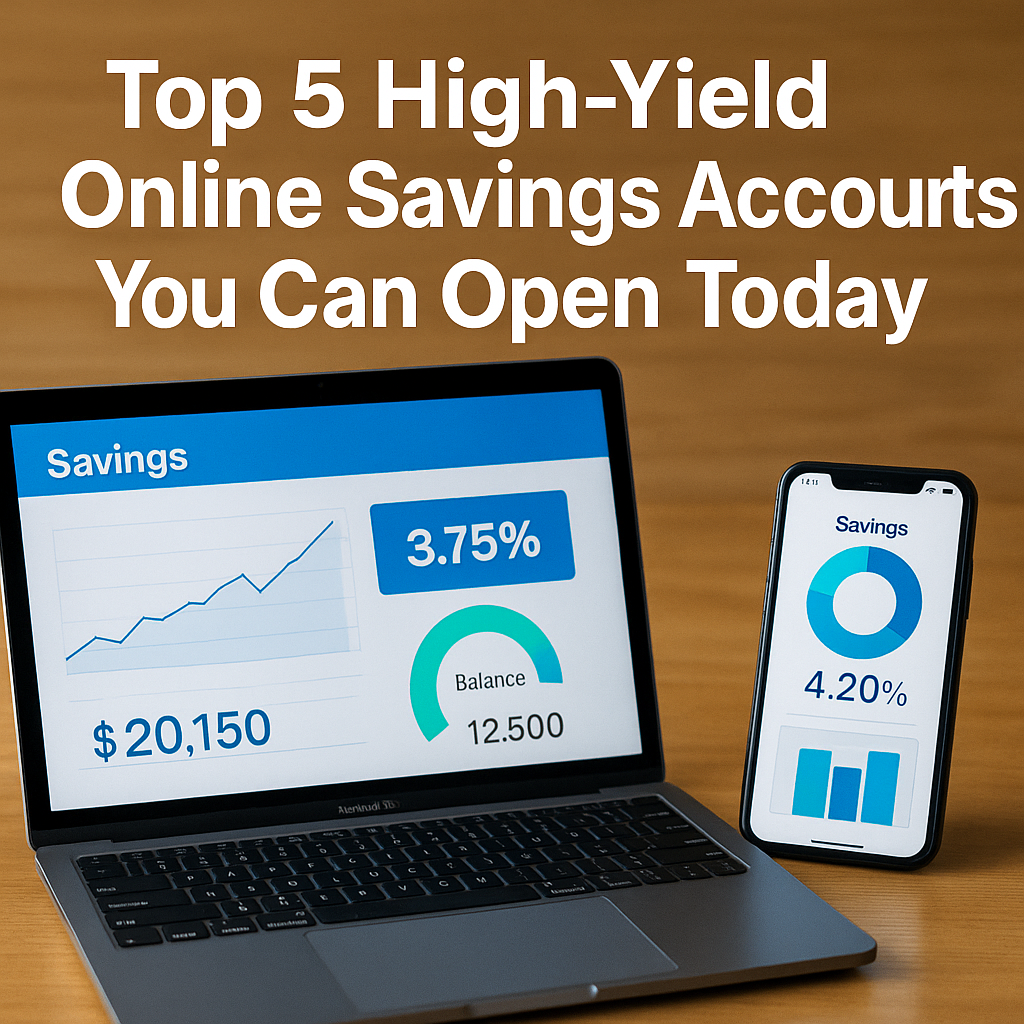
Laptop and smartphone screens showing colorful graphs of savings growth and interest rates, highlighting top online savings accounts.

Looking for a safe, no-hassle way to earn more from your cash? Online savings accounts consistently offer rates well above what traditional banks pay. Below are five top picks you can open in minutes—each backed by FDIC insurance, zero hidden fees, and user-friendly tools to help you grow your balance.


1. Ally Online Savings

APY: 3.75%
Ally’s online savings account is a crowd favorite for its blend of simplicity and flexibility. You pay no monthly fees, and there’s no minimum balance requirement. Deposits and withdrawals are unlimited, and you can schedule recurring transfers in just a few clicks. Ally also offers 24/7 customer support via phone or chat, in case you ever need help. Their mobile app features savings buckets—virtual sub-accounts you name yourself—to help you set and reach multiple goals at once.


2. Marcus by Goldman Sachs

APY: 3.80%
Marcus stands out with one of the highest rates available and a super-simple signup process. You can link an external checking account for instant transfers, and set up automatic monthly deposits so you never have to think about moving money. There are no transaction fees, and no minimum deposit to open an account. Marcus’ online dashboard shows your balance and interest earned in clear charts, making it easy to track progress toward your goals.


3. Discover Online Savings

APY: 3.70%
Discover packs robust features into its online savings account. You get no minimum balance, and all balances are FDIC-insured up to $250,000. Their mobile app includes built-in budgeting tools, helping you see spending and saving trends in one place. Discover also offers round-up transfers: link a debit card, and the app will round up each purchase to the next dollar, moving the difference into savings. For users who like automation, this feature delivers steady growth without lifting a finger.


4. Synchrony High Yield Savings

APY: 3.65%
If you value easy access to your money, Synchrony’s free ATM debit card is a plus—it lets you withdraw from any ATM with no fees. Interest compounds daily, so even small balances earn faster growth. Synchrony has no monthly fees and a low minimum opening deposit (typically $0–$100). Their web portal and mobile app deliver a straightforward interface: check your balance, view transaction history, and set up external transfers in seconds.


5. CIT Bank Savings Connect

APY: 3.60%
CIT Bank’s Savings Connect account requires a modest $100 opening deposit but rewards you with a competitive rate and tiered APY—balances above certain levels earn slightly higher rates. You can schedule weekly or monthly auto-transfers from any linked account, and there are no hidden service fees. CIT’s online platform includes email alerts for when your balance hits certain thresholds, helping you stay on top of your savings plan.


How to Choose the Right Account

  1. Interest Rate vs. Convenience: If you rarely need to move money, prioritize the highest APY. If you plan frequent withdrawals, look for free ATM access or unlimited transfers.
  2. Minimum Deposit Requirements: Some accounts start at $0, others at $100. Pick one you can fund immediately.
  3. Automation Features: Recurring transfers, round-up options, and goal buckets keep you saving without extra effort.
  4. Mobile App Quality: Read user reviews for ease of use—simple dashboards encourage regular check-ins.
  5. Customer Support: 24/7 chat or phone access can be a lifesaver if you ever have an urgent question.

Simple Action Plan

  1. Choose one account that matches your habits and balance needs.
  2. Open it online—most applications take under 5 minutes.
  3. Link your checking account and set up an automatic transfer (e.g., $50–$200 per payday).
  4. Track your progress monthly—watch your balance and interest climb.

By moving just a small portion of each paycheck into a high-yield account, you’ll earn hundreds of dollars more in interest over a year compared to a regular savings account. Start today, and let your money work harder for you!

3 Tools to Track Your USD Savings Rates in Real Time

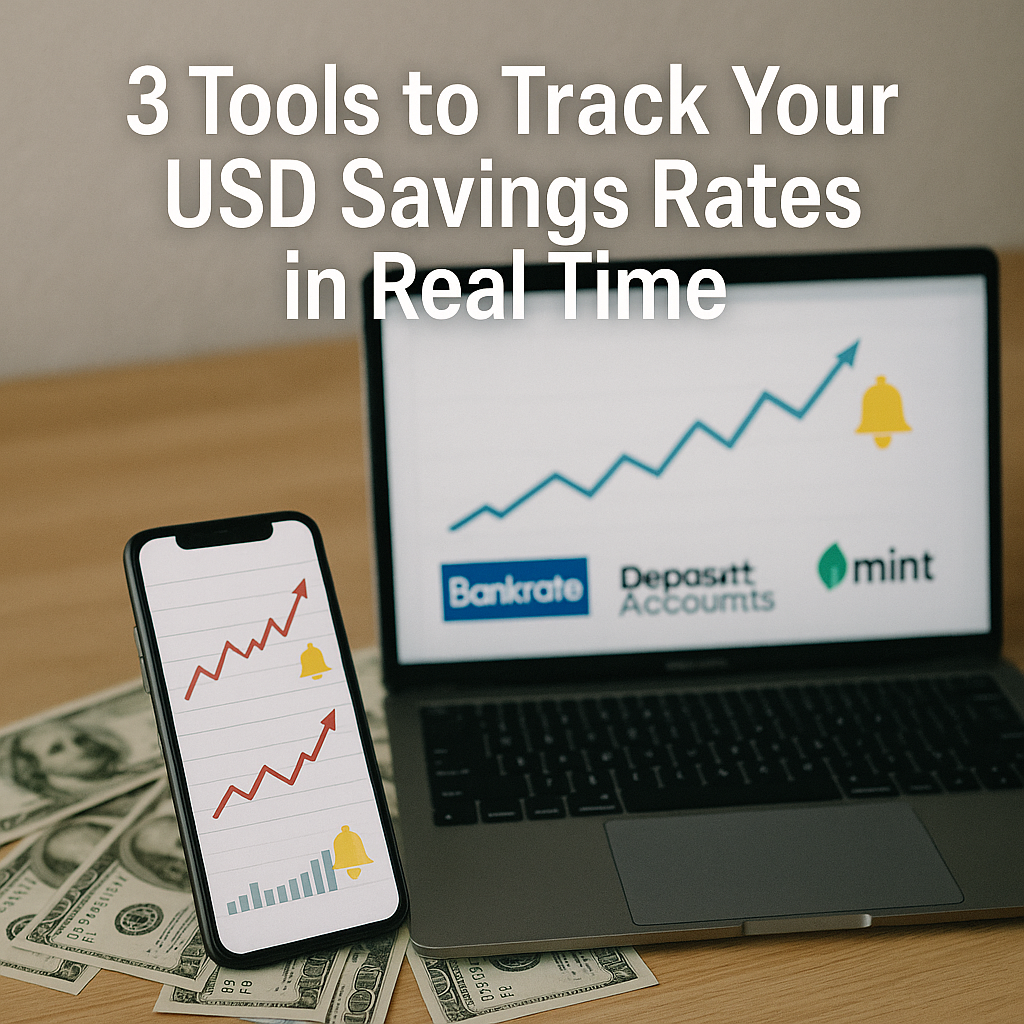
A laptop and smartphone displaying upward-trending graphs with alert bell icons and logos for Bankrate, DepositAccounts, and Mint, set against a blurred background of US dollar bills

Introduction

In a market where high-yield savings APYs can shift on a daily basis, staying informed about the best available rates is critical to maximizing your returns. Manually checking multiple bank websites consumes valuable time and risks missing out on sudden rate spikes or promotional offers. Fortunately, several free—and in some cases low-cost—tools exist to automate this process and deliver real-time updates straight to your inbox or smartphone. Below are three of the most reliable platforms for tracking USD savings rates, complete with setup guidance and best-use tips.


1. Bankrate’s Savings Rate Comparison & Alerts

Overview

Bankrate has long been a go-to resource for consumers comparing financial products. Its Savings Rate Comparison page aggregates APY data from dozens of online banks and credit unions each time you visit. More importantly, you can sign up for email alerts that notify you whenever a monitored product’s APY moves above or below a threshold you set.

Key Features

  • Comprehensive Coverage: Includes major online banks (Ally, Marcus, Discover), regional institutions, and credit unions.
  • Custom Thresholds: Specify “Notify me if APY ≥ X%” or “Notify me if APY drops below Y%.”
  • Daily Updates: Data is refreshed every 24 hours.

Setup Guide

  1. Navigate to bankrate.com/banking/savings/rates/.
  2. Use the filter controls to narrow institutions by minimum deposit, fees, or customer ratings.
  3. Click the bell icon beside any savings product and enter your target APY.
  4. Verify your email when prompted.

Best-Use Tips

  • Monitor several products simultaneously by setting different thresholds.
  • If you hold an account at one of the banks, prioritize its product to catch rate increases on your existing balance.
  • Check the “Promotions” tab weekly for one-time bonuses or limited-time rate boosts.

2. DepositAccounts.com’s Rate Tracker & Watchlist

Overview

DepositAccounts.com specializes in listing deposit products—savings, money markets, and certificates of deposit—from more than 270 U.S. financial institutions. Its Rate Tracker tool allows you to build a watchlist of up to 20 accounts and receive automated alerts via email or RSS feed.

Key Features

  • Watchlist Dashboard: View all your tracked accounts on a single page.
  • Change Log: See historical rate movements in a simple timeline.
  • RSS & Email Alerts: Choose your preferred notification channel.

Setup Guide

  1. Go to depositaccounts.com/rate-tracker.php.
  2. Click “Add Account” and search by institution name or APY.
  3. Select “Email” or “RSS” as your alert method and enter your contact details.
  4. Customize alert frequency (immediate, daily digest, weekly wrap-up).

Best-Use Tips

  • Use the change log to identify patterns—some banks only raise rates on certain days of the week or month.
  • If you prefer RSS, integrate your feed into a feedreader app (e.g., Feedly) for consolidated tracking alongside other financial news.

3. Mint’s Custom Rate-Alert Workaround

Overview

While Mint (by Intuit) is primarily a budgeting and account-aggregation app, you can leverage its custom goal and alert features to approximate real-time rate tracking. By creating a “Savings Rate Goal” tied to a dummy tracked account, Mint will notify you whenever your balance projection changes due to a rate adjustment.

Key Features

  • Account Linking: Connect any online savings account via Plaid.
  • Custom Goals: Define a numeric target for monthly interest earned.
  • Push & Email Alerts: Receive notifications when actual interest credits arrive.

Setup Guide

  1. Sign into Mint.com or the Mint mobile app.
  2. Link your high-yield savings account through the “Add Accounts” flow.
  3. Under “Goals,” choose “Custom” and set “Target Interest Earned per Month” equal to your current APY projection.
  4. Enable alerts for “Balance Change” and “Goal Progress.”

Best-Use Tips

  • This approach requires at least one actual deposit and interest payment in your Mint-linked account to calibrate your goal.
  • Push alerts are instantaneous; if you prefer email, adjust notification settings in your Mint profile.
  • Mint’s rate of interest credits is typically monthly—combine Mint with one of the above real-time trackers for gap coverage.

Conclusion

Manually scouring bank websites for the latest savings APYs no longer needs to eat into your schedule. Bankrate and DepositAccounts.com offer dedicated, purpose-built tools for real-time rate alerts, while Mint can be repurposed as a makeshift tracker if you prefer a unified financial dashboard. By setting up one or more of these platforms, you’ll ensure that you never miss an opportunity to lock in a top‐tier USD savings rate—putting you one step closer to optimizing your emergency fund, cash reserves, and long‐term financial goals with minimal ongoing effort.

To see which banks currently offer the highest APYs and dive deeper into their features, read our full analysis of the Top 5 Online Banks Offering the Best USD Savings Rates in 2025

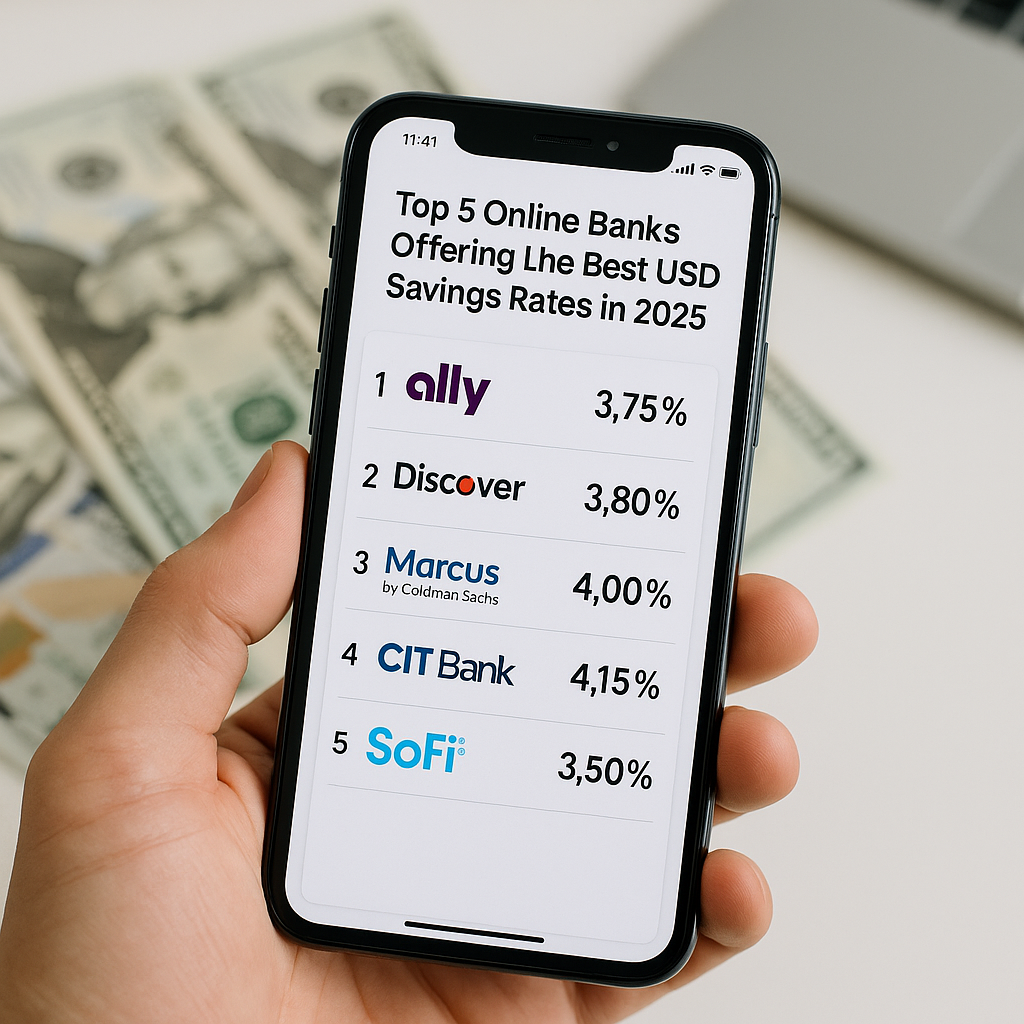
Top 5 Online Banks Offering the Best USD Savings Rates in 2025

A smartphone displaying a list titled “Top 5 Online Banks Offering the Best USD Savings Rates in 2025,” with each bank logo (Ally, Discover, Marcus by Goldman Sachs, CIT Bank, SoFi) and their APY rates, set against a blurred background of US dollar bills.

Introduction

As interest rates continue to ebb and flow in response to global economic conditions, finding a safe haven for your cash that still earns a meaningful return has become more challenging—and more important—than ever. Traditional brick-and-mortar banks frequently advertise convenience and legacy, yet too often they fail to deliver competitive annual percentage yields (APYs) on savings. In contrast, purely digital, online-first banks have upended the marketplace by offering significantly higher APYs on USD-denominated savings accounts, minimal fees, and seamless user experiences. For savers looking to maximize their returns without compromising security or liquidity, these online banks represent the most compelling options available in 2025.

This guide dives deep into the top five online institutions that consistently lead in USD savings rates, comparing not only headline APYs but also account features, minimum requirements, withdrawal rules, and overall user experience. Whether you’re parking your emergency fund or steadily building a cash reserve for future investments, understanding the nuances between these providers will empower you to make the best long-term choice.

We will cover:

  1. Ally Bank – A longstanding contender in the online banking space known for transparent pricing and consistently high yields.
  2. Discover Bank – A major credit-card issuer turned online savings leader, offering attractive perks and rewards.
  3. Marcus by Goldman Sachs – The global investment giant’s consumer arm, balancing strong rates with rock-solid reputation.
  4. CIT Bank – A rising fintech hybrid with tiered-rate structures that reward higher balances.
  5. SoFi Money – A digital finance platform blending checking and savings features, with unique cash-sweep options.

After detailing each institution, we’ll equip you with a decision framework—covering ease of use, insurance coverage, minimum balances, and promotional opportunities—so you can open your next savings account with confidence. By the end of this guide, you’ll know exactly which bank best matches your financial goals and how to get your funds earning maximum interest in as little as 10–15 minutes.


1. Ally Bank

Overview and APY

Ally Bank is widely regarded as one of the pioneers in online-first consumer banking. As an entirely digital institution—no physical branches—Ally passes cost savings on to customers via competitive rates. As of early 2025, Ally’s standard Online Savings Account APY stands at 3.75%, far outpacing the national average for brick-and-mortar banks.

Key Features

  • No Monthly Fees: Ally does not charge maintenance or hidden fees.
  • No Minimum Balance: You can open with any amount—even $0—and continue to earn the published APY.
  • Daily Compounding Interest: Allows you to benefit immediately from interest gains.
  • 24/7 Customer Support: Access via phone, chat, or secure messaging.
  • User-Friendly App & Website: Ally’s digital platforms are consistently rated highly for ease of navigation, with quick transfers and clear statements.

Insurance & Safety

  • FDIC Coverage: Deposits insured up to $250,000 per depositor, per insured bank, for each account ownership category.
  • Security Measures: Multi-factor authentication, TLS encryption, and automatic logout for inactive sessions.

Additional Perks

  • Bucket Savings: Create up to 10 “buckets” within your savings account to earmark funds for specific goals—travel, emergency fund, big purchase—each earning the same APY but tracked separately.
  • Surprise Savings™: A feature that analyzes your checking account balance and automatically sweeps small amounts into savings when you have extra cushion, accelerating your savings without you lifting a finger.

Ideal Customer Profile

Choose Ally if you:

  • Want a truly no-fee, no-minimum account.
  • Value reliable, around-the-clock support.
  • Prefer a straightforward savings product without complex tiers.
  • Appreciate auto-savings tools like Surprise Savings™.

How to Open

  1. Visit ally.com/savings and click “Open Account.”
  2. Provide personal information (name, address, SSN).
  3. Fund via ACH from an external checking account.
  4. Start earning interest immediately after funding posts.

2. Discover Bank

Overview and APY

Discover Bank, long known as a top credit-card issuer, expanded into deposit accounts with equally competitive offerings. Its Online Savings Account currently features an APY of 3.80%—slightly above Ally—while also bundling valuable customer rewards.

Key Features

  • No Minimum Opening Deposit: Start with as little as $0.
  • No Monthly Fees or Service Charges: No surprises on your statement.
  • Unlimited Deposits & Up to Six Monthly Withdrawals: Standard Regulation D limits apply, but Discover has removed fees for over-limit withdrawals.
  • 24/7 Customer Service: Live representatives available day or night.

Insurance & Safety

  • FDIC-Insured: Up to $250,000 per depositor.
  • Secure Online Platform: Encrypted login and transaction processing.

Rewards and Perks

  • Cashback Checking Integration: If you hold both a Discover checking and savings account, certain checking transactions earn 1% cashback on up to $3,000 in debit card purchases per month, indirectly boosting your overall yield.
  • Bonus Offers: Periodic promotional offers—such as a $200 bonus for new savers who deposit $15,000 within a specified timeframe—may appear, but always read terms carefully.

Ideal Customer Profile

Discover is ideal for you if you:

  • Already use Discover credit cards and want to centralize your finances.
  • Seek occasional promotional bonuses.
  • Enjoy the potential to earn small additional yield via cashback checking links.

How to Open

  1. Go to discover.com/online-savings-account.
  2. Complete the “Open an Account” form.
  3. Verify identity with SSN and address.
  4. Fund via external bank transfer or debit card deposit.
  5. Watch for any promotional deposit offers when signing up.

3. Marcus by Goldman Sachs

Overview and APY

Marcus, launched by Goldman Sachs in 2016, brings Wall Street expertise to everyday savers. Its Online Savings Account currently offers 4.00% APY, among the highest standard rates for 2025. Marcus focuses on simplicity and reliability rather than bells-and-whistles features.

Key Features

  • No Fees, No Minimums: Straightforward pricing—no monthly or maintenance fees.
  • Daily Compounding: Interest accrues daily and deposits to your account monthly.
  • User Experience: Clean, intuitive interface with clear dashboards and progress trackers.

Insurance & Safety

  • FDIC Coverage: Insured up to $250,000.
  • Bank-Grade Security: Multi-factor authentication, continuous monitoring for fraud.

Additional Tools

  • Savings Goals: Set specific financial goals (vacation, home down payment) and track progress.
  • Rate Alerts: Sign up for email notifications should Marcus increase its APY beyond a set threshold you specify.

Ideal Customer Profile

Marcus appeals to:

  • Savers seeking top-tier APY with minimal complexity.
  • Those who prioritize the Goldman Sachs brand for trust and stability.
  • Users who appreciate goal-setting tools integrated into their banking experience.

How to Open

  1. Navigate to marcus.com/savings.
  2. Enter personal and financial details.
  3. Link an external account for funding.
  4. Receive instant approval and begin earning interest the day funds clear.

4. CIT Bank

Overview and APY

CIT Bank—originally Commercial Investment Trust—has carved a niche with its tiered-rate Savings Connect account. In early 2025, CIT offers up to 4.15% APY on balances of $100,000+, with a base APY of 3.95% for balances between $25,000 and $99,999.

Key Features

  • Tiered-Rate Structure:
    • $0–$24,999: 3.75% APY
    • $25,000–$99,999: 3.95% APY
    • $100,000+: 4.15% APY
  • Low Minimum to Earn Highest Rate: Just $100 initial deposit to open.
  • No Monthly Maintenance Fees: No fee deductions to eat into your yield.

Insurance & Safety

  • FDIC-Insured: Standard coverage up to $250k.
  • Secure Website & App: Encrypted sessions, timeout auto-logout.

Perks and Considerations

  • Interest Calculator: Online tool lets you model growth at different tiers.
  • Dedicated Relationship Managers: For customers with larger balances, CIT provides personalized service and rate alerts.
  • Funding Methods: ACH transfers, mobile check deposit (via app), wire transfers.

Ideal Customer Profile

CIT Bank is best if you:

  • Maintain a six-figure balance (or can grow into it).
  • Want to maximize yield through tiered incentives.
  • Prefer occasional personalized service for larger deposits.

How to Open

  1. Visit cit.com/savings-connect.
  2. Choose “Savings Connect” and click “Open Account.”
  3. Complete identity verification and deposit at least $100.
  4. Select tier and start earning immediately upon funding.

5. SoFi Money

Overview and APY

SoFi Money combines checking and savings features through a cash-sweep mechanism. Funds above a certain threshold automatically sweep into partner banks offering 2.50% APY (variable) on sweep balances, while providing debit-card access to your full balance.

Key Features

  • One Account, Dual Functionality: Spend from your account like a checking account; any funds above $… sweep into high-yield partners.
  • No Account Fees: No monthly or overdraft fees.
  • Unlimited ATM Rebates: Nationwide ATM fee reimbursements up to $15 per statement period.

Insurance & Safety

  • SIPC Coverage: Cash sweep balances are covered up to $250,000 for securities; check partner bank FDIC coverage for deposits.
  • Mobile Security: Biometric login (fingerprint/face ID) plus PIN protection.

Perks

  • Cashback Offers: SoFi often partners with retailers and services to offer cash-back deals.
  • Financial Planning Tools: Access to SoFi’s suite of educational resources and free financial advising for members.

Considerations

  • APY Variability: Rate may fluctuate more frequently than pure savings accounts.
  • Funds Access: Swept funds require unsweeping (instant transfer back) before spending—usually a sub-hour process.

Ideal Customer Profile

Opt for SoFi Money if you:

  • Want a seamless blend of checking and high-yield savings.
  • Value ATM fee reimbursements.
  • Appreciate additional perks like cashback and financial coaching.

How to Open

  1. Go to sofi.com/money.
  2. Sign up with basic personal info.
  3. Fund via ACH or mobile check deposit.
  4. Enable sweep feature in settings.
  5. Spend or save—automatically earning on idle cash.

Decision Framework & Application Steps

With five strong contenders on the table, consider these criteria to pinpoint the best fit:

  1. Rate vs. Balance Needs
    • If you have six figures or more, CIT Bank’s tiered APY maxes out highest (4.15%).
    • For any balance size, Marcus (4.00%) and Discover (3.80%) offer top standard rates.
  2. Minimums & Fees
    • All five banks boast $0 minimums except CIT’s $100.
    • None impose monthly maintenance fees.
  3. Account Features
    • Bucket/Sweep Tools: Ally’s Surprise Savings™, SoFi’s automatic sweep.
    • Goal-Tracking: Marcus’s visual goal trackers.
    • Cashback Checking Link: Discover’s synergy if you also spend with their debit card.
  4. Liquidity & Access
    • All allow standard six Regulation D withdrawals.
    • SoFi requires unsweeping funds before spending; others offer direct access via ACH or bill pay.
  5. Brand Trust & Support
    • Goldman Sachs reputation → Marcus.
    • Legacy credit-card issuer → Discover.
    • Online-only pioneers → Ally.
    • Relationship management for large balances → CIT.
    • Fintech innovation → SoFi.

How to Apply in 10–15 Minutes

  1. Gather Documents:
    • Government ID, SSN/TIN, proof of address.
  2. Visit Bank Website:
    • Choose your provider’s savings page.
  3. Complete Online Form:
    • Enter personal data, verify identity.
  4. Fund Your Account:
    • Link external checking via ACH or deposit minimum.
  5. Enable Extras:
    • Turn on buckets, goal alerts, automatic sweep as desired.
  6. Confirm & Bookmark:
    • Bookmark rate-comparison pages and set calendar reminders to recheck quarterly.

Conclusion

In 2025, the landscape of USD savings accounts is richer and more competitive than ever, thanks to digital innovators and established institutions alike. Gone are the days when a basic savings account offered barely any yield. Today’s top online banks routinely publish APYs between 3.75% and 4.15%, enabling savers to earn hundreds of dollars more per year on even modest balances.

  • Ally Bank excels for no-nonsense savers who value fee-free simplicity and powerful auto-savings tools.
  • Discover Bank adds the bonus of potential cashback synergy when paired with a Discover checking account.
  • Marcus by Goldman Sachs offers one of the highest standard APYs with Goldman’s deep financial pedigree.
  • CIT Bank rewards large balances with tiered rates that can top 4.15%, ideal if you can maintain a six-figure cushion.
  • SoFi Money blurs the line between checking and savings, automatically sweeping excess cash into high-yield pockets while offering ATM rebates and fintech perks.

Ultimately, your ideal choice hinges on your balance size, desire for advanced savings features, and how you prefer to access and spend your money. By following this guide—assessing your priorities, comparing live rates, and completing the quick online application—you can have your funds working harder within minutes. Don’t settle for national averages below 0.10%; claim a top-tier APY today and watch your cash grow, bringing you closer to your broader financial goals.


For real-time rate alerts and instant updates on those banks’ APYs, check out our guide to 3 Tools to Track Your USD Savings Rates in Real Time